


Use PowerShell to communicate with Dynamics CRM using the .NET XRM SDK


If you have developed client applications or plugins for Dynamics CRM, you likely are familiar with the CRM/XRM libraries. You may have gotten those DLL's from the CRM installation, the SDK zip, or the NuGet package. Another way to interact with these CRM DLL's is through PowerShell. PowerShell is built upon .NET meaning you can call the same CRM libraries from PowerShell as from .NET applications.
The easiest way to start using PowerShell with CRM libraries, is to install the "Microsoft.Xrm.Tooling.CrmConnector.PowerShell" PowerShell module. Note all the DLL's that come with this PowerShell module which you can find on the NuGet page under 'FileList':
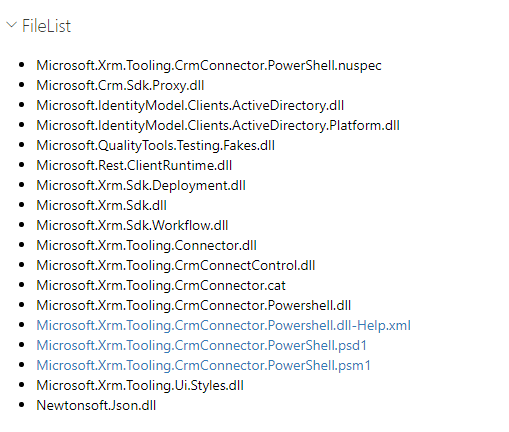
This module contains many DLL's but most importantly, the core CRM DLL's you usually use such as:
- Microsoft.Xrm.Sdk.Deployment.dll
- Microsoft.Xrm.Sdk.dll
- Microsoft.Xrm.Sdk.Workflow.dll
- Microsoft.Xrm.Tooling.Connector.dll
Use the following command to install the PowerShell module:
The PowerShell module only provides two PowerShell functions:
- Get-CrmConnection: This function returns the trusty "CrmServiceClient"
- Get-CrmOrganizations: Returns the CRM Organizations
Although the module only provides these two PowerShell functions, the entire XRM SDK is made available to you.
For example, here's a PowerShell script file named "GetOptionSet.ps1" that will print out all optionset values and labels for a given Entity + OptionSet-Attribute:
To use the script, open a PowerShell window and invoke the PowerShell file as below:
Using PowerShell, you can provide a lot of value with a single file as opposed to .NET projects which require at least multiple files, folders & compilation. I still prefer creating .NET projects for larger endeavors, but PowerShell has been very helpful for scripting things quickly. Being able to pass single script files between machines and colleagues has also been very handy.
In the end you can achieve anything with either PowerShell or .NET projects, so whatever floats your boat!

