---
title: "Create ZIP files on HTTP request without intermediate files using ASP.NET MVC Framework"
excerpt: "The ZipArchive wraps any stream to read, create, and update ZIP archives. You can send the result to the client using ASP.NET MVC Framework."
publishDate: "2021-04-05T00:00:00"
createDate: "2021-04-06T05:19:40.6"
updateDate: "2021-04-06T06:43:53.933"
category: "dotnet"
categoryName: ".NET"
tags: [".NET","ASP.NET","ASP.NET MVC",".NET Framework"]
permalink: "/blog/dotnet/create-zip-files-on-http-request-without-intermediate-files-using-aspdotnet-mvc-framework"
canonical: "/blog/dotnet/create-zip-files-on-http-request-without-intermediate-files-using-aspdotnet-mvc-framework"
image: {"src":"/media/vybpx24a/aspdotnet-zip-http-long.png","focalPoint":{"left":0.5,"top":0.5},"crops":[{"alias":"Banner","width":1120,"height":400,"coordinates":null}]}
imageAlt: ".NET Bot holding a package with \"ZIP\" on it. Title: Create ZIP files on HTTP request without intermediate files using ASP.NET MVC Framework"
imageBackgroundColor: "#fff"
thumbnailImage: {"src":"/media/5j2pvfql/aspdotnet-zip-square.png","focalPoint":{"left":0.5,"top":0.5002501250625312},"crops":[{"alias":"thumbnail","width":250,"height":250,"coordinates":null}]}
thumbnailImageAlt: ".NET Bot holding a package with \"ZIP\" on it. "
metaTitle: "Create ZIP files on HTTP request without intermediate files using ASP.NET MVC Framework"
metaDescription: "The ZipArchive wraps any stream to read, create, and update ZIP archives. You can send the result to the client using ASP.NET MVC Framework."
ogTitle: "Create ZIP files on HTTP request without intermediate files using ASP.NET MVC Framework"
ogDescription: "The ZipArchive wraps any stream to read, create, and update ZIP archives. You can send the result to the client using ASP.NET MVC Framework."
ogImage: {"src":"/media/xkuetfh5/aspdotnet-zip-http-social.png","focalPoint":{"left":0.5,"top":0.4983335978416124},"crops":[{"alias":"OpenGraph","width":1200,"height":630,"coordinates":null}]}
ogImageAlt: ".NET Bot holding a package with \"ZIP\" on it. Title: Create ZIP files on HTTP request without intermediate files using ASP.NET MVC Framework"
relatedPostKeys: ["39dcf08751ac4bbeaf9da1753dd718c1","d86afc5ed8964e4195523ee66c9317e5","7f1121f7ac8c4d89870614ca9667740b"]
noIndex: false
noFollow: false
sitemapExclude: false
source: {"nodeId":1490,"contentKey":"96fd2b4cdd6942efa10b49a409c8812d","sortOrder":93}
---

<p class="panel panel--info">If you're trying to generate ZIPs and send them to the browser using <strong>ASP.NET Core</strong>, check out "<a href="/blog/dotnet/create-zip-files-on-http-request-without-intermediate-files-using-aspdotnet-mvc-razor-pages-and-endpoints" title="Create ZIP files on HTTP request without intermediate files using ASPdotNET MVC Razor Pages and endpoints">Create ZIP files on HTTP request without intermediate files using ASP.NET MVC, Razor Pages, and endpoints</a>".</p>

.NET has multiple built-in APIs to create ZIP files. The `ZipFile` class has static methods to create and extract ZIP files without dealing with streams and byte-arrays. `ZipFile` is a great API for simple use-cases where the source and target are both on disk. <br>On the other hand, the `ZipArchive` class uses streams to read and write ZIP files. The latter is more complicated to use but provides more flexibility because you can accept any stream to read from or write to whether the data comes from disk, from an HTTP request, or from a complicated data pipeline.


Using `ZipArchive` you can **create a ZIP file on the fly** and send it to the client from ASP.NET **without having to save the ZIP file to disk**.


In this blog post, you'll learn how to do just that from an ASP.NET MVC Action. But first, let's learn how to create the ZIP archive.

<p class="panel panel--info">You can find all the source code on <a href="https://github.com/Swimburger/WebZipItFramework">this GitHub Repository</a>.</p>


## Create a ZIP using streams and the ZipArchive class {#create-a-zip-using-streams-and-the-ziparchive-class}

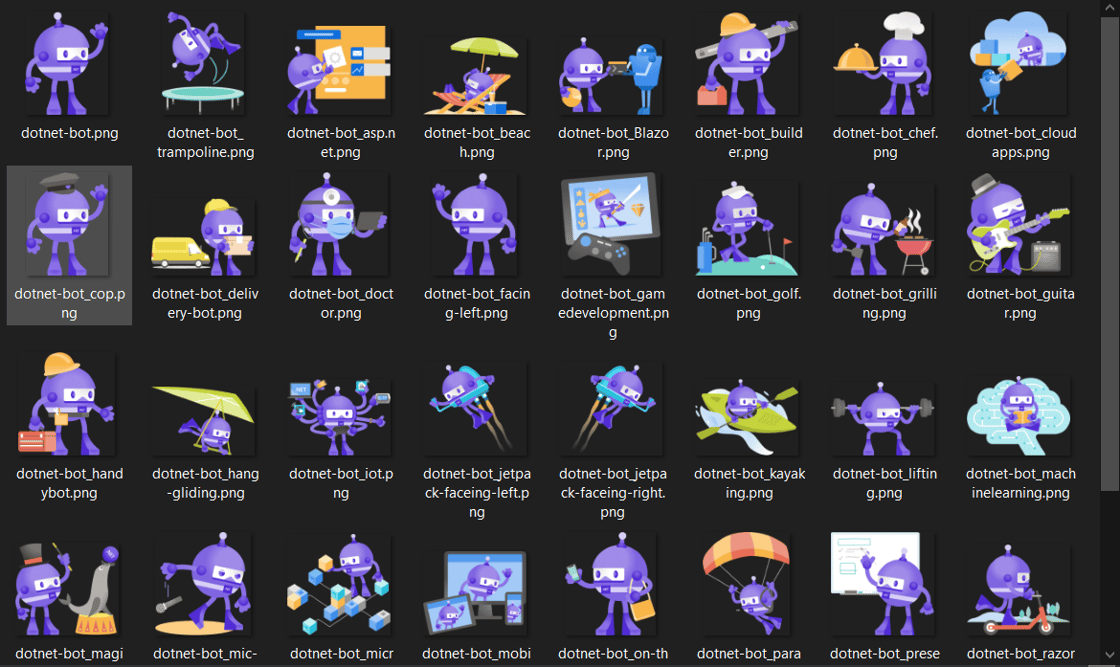
For this demo, I have downloaded all the .NET bots from [the .NET Brand repository](https://github.com/dotnet/brand) and put them in a folder:

<picture>
  <img src="https://swimburger.net/cdn-cgi/image/format=auto,quality=90,width=1120/media/w3aliwnt/bots-folder.png" srcset="https://swimburger.net/cdn-cgi/image/format=auto,quality=90,width=430/media/w3aliwnt/bots-folder.png 430w, https://swimburger.net/cdn-cgi/image/format=auto,quality=90,width=645/media/w3aliwnt/bots-folder.png 645w, https://swimburger.net/cdn-cgi/image/format=auto,quality=90,width=718/media/w3aliwnt/bots-folder.png 718w, https://swimburger.net/cdn-cgi/image/format=auto,quality=90,width=860/media/w3aliwnt/bots-folder.png 860w, https://swimburger.net/cdn-cgi/image/format=auto,quality=90,width=1077/media/w3aliwnt/bots-folder.png 1077w, https://swimburger.net/cdn-cgi/image/format=auto,quality=90,width=1120/media/w3aliwnt/bots-folder.png 1120w" sizes="(max-width: 480px) 430px, (max-width: 768px) 718px, 1120px" width="1120" height="667" alt="Screenshot of folder full of .NET bots" loading="lazy" decoding="async">
</picture>


The following code will put all these files into a ZIP archive stored in a `MemoryStream`:


<pre style="color:#000000;background:#ffffff;"><span style="color:#7f0055; font-weight:bold; ">var</span> botFilePaths = Directory.GetFiles(<span style="color:#2a00ff; ">"</span><span style="color:#2a00ff; ">/path/to/bots</span><span style="color:#2a00ff; ">"</span>);&#10;<span style="color:#7f0055; font-weight:bold; ">using</span> (<span style="color:#7f0055; font-weight:bold; ">var</span> zipFileMemoryStream = <span style="color:#7f0055; font-weight:bold; ">new</span> MemoryStream())&#10;{&#10;    <span style="color:#7f0055; font-weight:bold; ">using</span> (ZipArchive archive = <span style="color:#7f0055; font-weight:bold; ">new</span> ZipArchive(zipFileMemoryStream, ZipArchiveMode.Update, leaveOpen: <span style="color:#7f0055; font-weight:bold; ">true</span>))&#10;    {&#10;        <span style="color:#7f0055; font-weight:bold; ">foreach</span> (<span style="color:#7f0055; font-weight:bold; ">var</span> botFilePath <span style="color:#7f0055; font-weight:bold; ">in</span> botFilePaths)&#10;        {&#10;            <span style="color:#7f0055; font-weight:bold; ">var</span> botFileName = Path.GetFileName(botFilePath);&#10;            <span style="color:#7f0055; font-weight:bold; ">var</span> entry = archive.CreateEntry(botFileName);&#10;            <span style="color:#7f0055; font-weight:bold; ">using</span> (<span style="color:#7f0055; font-weight:bold; ">var</span> entryStream = entry.Open())&#10;            <span style="color:#7f0055; font-weight:bold; ">using</span> (<span style="color:#7f0055; font-weight:bold; ">var</span> fileStream = System.IO.File.OpenRead(botFilePath))&#10;            {&#10;                await fileStream.CopyToAsync(entryStream);&#10;            }&#10;        }&#10;    }&#10;&#10;    zipFileMemoryStream.Seek(0, SeekOrigin.Begin);&#10;    <span style="color:#3f7f59; ">// use stream as needed</span>&#10;}&#10;</pre>

The code does the following:

- Get all paths to the bot files in the folder using <code>Directory.GetFiles</code> and store it in <code>botFilePaths</code>.
- You can use any stream which supports synchronous read and write operations, but for this snippet a <code>MemoryStream</code> is used which will store the entire ZIP file in memory. This can consume a lot of memory which is why a different stream will be used in later samples.<br>But for now, create a new <code>MemoryStream</code> and store it in <code>zipFileMemoryStream</code>. The ZIP archive will be written to <code>zipfileMemoryStream</code>.<br>You can also use a <code>FileStream</code> instead of a <code>MemoryStream</code> if you want to write the ZIP archive to a file on disk.
- Create a new <code>ZipArchive</code> and store it in <code>archive</code>. Instantiate the <code>ZipArchive</code> with the following parameters
  - <strong>stream</strong>: pass in <code>zipFileMemoryStream</code>. The <code>ZipArchive</code> wraps the stream and uses it to read/write.
  - <strong>mode</strong>: pass in <code>ZipArchiveMode.Update</code> to allow both reading and writing. Other options are <code>Read</code> and <code>Create</code>
  - <strong>leaveOpen</strong>: pass in <code>true</code> to leave open the underlying stream after disposing the <code>ZipArchive</code>. Otherwise <code>zipfileMemoryStream</code> will be disposed when <code>ZipArchive</code> is disposed which prevents you from interacting with the stream.
- For every path in <code>botFilePaths</code>:
  - Extract the file name from the bot file path and store it in <code>botFileName</code>.
  - Create a <code>ZipArchiveEntry</code> by calling <code>archive.CreateEntry</code> passing in the file name. This entry is where the file data will be stored.
  - Get a writable <code>Stream</code> to write to the <code>ZipArchiveEntry</code> by calling <code>entry.Open()</code>.
  - Open a readable <code>FileStream</code> to read the bot file by calling <code>System.IO.File.OpenRead</code> passing in the bot file path. <br>At this point, you don't need to use the full namespace, but it will be required later to avoid collision between <code>System.IO.File</code> and the <code>File</code> method inside of MVC controllers and Razor Pages.
  - Copy the data from the file stream to the zip entry stream.
- If you now want to read from the memory stream, you have to set the position of the stream back to the beginning. You can do this using <code>.Seek(0, SeekOrigin.Begin)</code>.
- Lastly, do whatever you need to do with your in-memory ZIP file.


<p class="panel panel--warning"><strong>Warning:</strong> Your mileage may vary depending on the size and amount of files you're trying to archive and the amount of resources available on your machine. Saving the ZIP file to disk may be favorable in some scenarios so you can save some rework when the same files are requested again.</p>

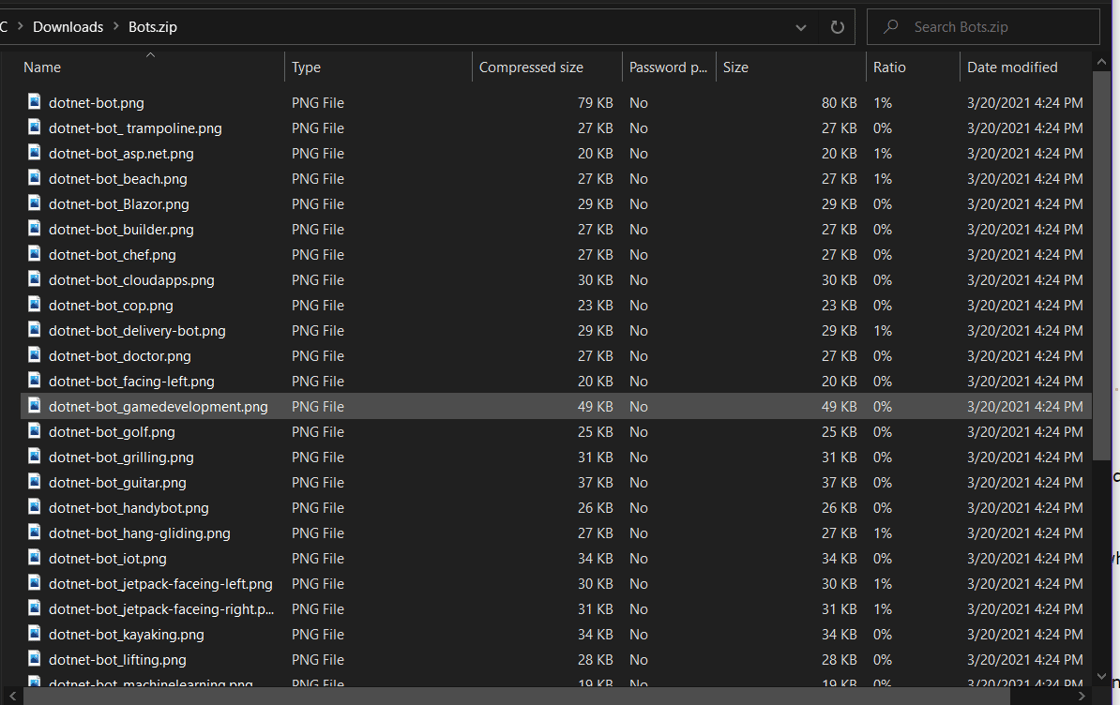
If you eventually end up saving or downloading this ZIP archive to disk, it will look like this:
<picture>
  <img src="https://swimburger.net/cdn-cgi/image/format=auto,quality=90,width=1120/media/ky2bu154/bots-zip.png" srcset="https://swimburger.net/cdn-cgi/image/format=auto,quality=90,width=430/media/ky2bu154/bots-zip.png 430w, https://swimburger.net/cdn-cgi/image/format=auto,quality=90,width=645/media/ky2bu154/bots-zip.png 645w, https://swimburger.net/cdn-cgi/image/format=auto,quality=90,width=718/media/ky2bu154/bots-zip.png 718w, https://swimburger.net/cdn-cgi/image/format=auto,quality=90,width=860/media/ky2bu154/bots-zip.png 860w, https://swimburger.net/cdn-cgi/image/format=auto,quality=90,width=1077/media/ky2bu154/bots-zip.png 1077w, https://swimburger.net/cdn-cgi/image/format=auto,quality=90,width=1120/media/ky2bu154/bots-zip.png 1120w" sizes="(max-width: 480px) 430px, (max-width: 768px) 718px, 1120px" width="1120" height="705" alt="Screenshot of opening a ZIP file using Windows file explorer" loading="lazy" decoding="async">
</picture>


Now that you know how to generate a ZIP file into a stream using `ZipArchive` and `FileStreams`, let's take a look at how you can send the stream to the browser using ASP.NET MVC Framework.


## Create a ZIP file and send it to the browser from an ASP.NET MVC Controller {#create-a-zip-file-and-send-it-to-the-browser-from-an-aspnet-mvc-controller}


### Version 1 {#version-1}


<p class="panel panel--warning">The solution below (first version) stores the entire ZIP file in memory (<code>MemoryStream</code>) before sending the entire file to the client. Feel free to <a href="#better-mvc">skip to the next section to see the improved version</a>.</p>

The code below shows how you can send the `zipFileMemoryStream` from the previous code sample to the browser using the `File` method inherited from the `Controller` class:

<pre style="color:#000000;background:#ffffff;"><span style="color:#7f0055; font-weight:bold; ">using</span> System;&#10;<span style="color:#7f0055; font-weight:bold; ">using</span> System.IO;&#10;<span style="color:#7f0055; font-weight:bold; ">using</span> System.IO.Compression;&#10;<span style="color:#7f0055; font-weight:bold; ">using</span> System.Web.Mvc;&#10;&#10;<span style="color:#7f0055; font-weight:bold; ">namespace</span> WebZipItFramework.Controllers&#10;{&#10;    <span style="color:#7f0055; font-weight:bold; ">public</span> <span style="color:#7f0055; font-weight:bold; ">class</span> HomeController : Controller&#10;    {&#10;        <span style="color:#7f0055; font-weight:bold; ">public</span> ActionResult Index()&#10;        {&#10;            <span style="color:#7f0055; font-weight:bold; ">return</span> View();&#10;        }&#10;&#10;        <span style="color:#7f0055; font-weight:bold; ">public</span> ActionResult ZipUnoptimized()&#10;        {&#10;            <span style="color:#7f0055; font-weight:bold; ">var</span> contentPath = Server.MapPath(<span style="color:#2a00ff; ">"</span><span style="color:#2a00ff; ">~/bots/</span><span style="color:#2a00ff; ">"</span>);&#10;            <span style="color:#7f0055; font-weight:bold; ">var</span> files = Directory.GetFiles(contentPath);&#10;            <span style="color:#7f0055; font-weight:bold; ">var</span> zipFileMemoryStream = <span style="color:#7f0055; font-weight:bold; ">new</span> MemoryStream();&#10;            <span style="color:#7f0055; font-weight:bold; ">using</span> (ZipArchive archive = <span style="color:#7f0055; font-weight:bold; ">new</span> ZipArchive(zipFileMemoryStream, ZipArchiveMode.Update, leaveOpen: <span style="color:#7f0055; font-weight:bold; ">true</span>))&#10;            {&#10;                <span style="color:#7f0055; font-weight:bold; ">foreach</span> (<span style="color:#7f0055; font-weight:bold; ">var</span> file <span style="color:#7f0055; font-weight:bold; ">in</span> files)&#10;                {&#10;                    <span style="color:#7f0055; font-weight:bold; ">var</span> entry = archive.CreateEntry(Path.GetFileName(file));&#10;                    <span style="color:#7f0055; font-weight:bold; ">using</span> (<span style="color:#7f0055; font-weight:bold; ">var</span> entryStream = entry.Open())&#10;                    <span style="color:#7f0055; font-weight:bold; ">using</span> (<span style="color:#7f0055; font-weight:bold; ">var</span> fileStream = System.IO.File.OpenRead(file))&#10;                    {&#10;                        fileStream.CopyTo(entryStream);&#10;                    }&#10;                }&#10;            }&#10;&#10;            zipFileMemoryStream.Seek(0, SeekOrigin.Begin);&#10;            <span style="color:#7f0055; font-weight:bold; ">return</span> File(zipFileMemoryStream, <span style="color:#2a00ff; ">"</span><span style="color:#2a00ff; ">application/octet-stream</span><span style="color:#2a00ff; ">"</span>, <span style="color:#2a00ff; ">"</span><span style="color:#2a00ff; ">Bots.zip</span><span style="color:#2a00ff; ">"</span>);&#10;        }&#10;    }&#10;}&#10;</pre>

The majority of the code is the same as the prior sample, but there are a couple of changes to take note off:

- The bot files have been stored in a folder in the ASP.NET project called "bots". To get the path to the folder, use the <code>Server.MapPath</code> method.
- The <code>zipFileMemoryStream</code> is not in a <code>using</code> block anymore. That's because the stream will be returned to the invoker and disposed of later.
- The <code>File</code> method inherited from the <code>Controller</code> is invoked which returns a <code>FileStreamResult</code>. You could create the <code>FileStreamResult</code> yourself, but the <code>File</code> method is provided as a more convenient way to do it.<br>The <code>File</code> method uses the following signature with these parameters:
  - fileStream: Pass in the stream holding the data you want to send to the client which in this case is <code>zipFileMemoryStream</code>.
  - contentType: Provide the content-type of the file. Pass in <code>"application/octet-stream"</code> for binary files or any files you want to force the browser to download instead of display. 
  - fileDownloadName: Tells the browser which file name to use for the downloaded file. 
- At the end of the <code>ZipUnoptimized</code> action, the <code>FileStreamResult</code> is returned to MVC and MVC will send the data to the client and dispose of the stream. 

The associated view generates the link to the `ZipUnoptimized` action as follows:

<pre style="color:#000000;background:#ffffff;"><span style="color:#7f0055; ">&lt;</span><span style="color:#7f0055; font-weight:bold; ">div</span> class=<span style="color:#2a00ff; ">"text-center"</span><span style="color:#7f0055; ">&gt;</span>&#10;    <span style="color:#7f0055; ">&lt;</span><span style="color:#7f0055; font-weight:bold; ">a</span> class=<span style="color:#2a00ff; ">"btn btn-primary"</span> href=<span style="color:#2a00ff; ">"@Url.Action("</span>ZipUnoptimized<span style="color:#2a00ff; ">")"</span><span style="color:#7f0055; ">&gt;</span>&#10;        Download .NET Bots unoptimized&#10;    <span style="color:#7f0055; ">&lt;/</span><span style="color:#7f0055; font-weight:bold; ">a</span><span style="color:#7f0055; ">&gt;</span>&#10;<span style="color:#7f0055; ">&lt;/</span><span style="color:#7f0055; font-weight:bold; ">div</span><span style="color:#7f0055; ">&gt;</span>&#10;</pre>


<p>To give this a try, download <a href="https://github.com/Swimburger/WebZipItFramework">the sample repository</a> and run it locally. Then, open the browser and browse to '<em>https://localhost:44334</em>'.<br>On this page, click on the "Download .NET Bots unoptimized" which will execute the code above, and download the .NET Bots ZIP file. </p>


### Version 2: A more memory efficient way {#better-mvc no-anchor}


Instead of writing the entire zip file into memory and then sending it to the browser, you can write to `Response.OutputStream` to send data to the client immediately.<br>For this data to be sent immediately, you need to set `Response.BufferOutput` to `false`.


Unfortunately, there's a bug in the `ZipArchive` implementation in .NET Framework which causes issues when passing in `Response.OutputStream` directly to the `ZipArchive` constructor.<br>That's why it is being wrapped in this `PositionWrapperStream` which resolves the issue. This solution was provided by [svick](https://stackoverflow.com/users/41071/svick) on <a href="https://stackoverflow.com/questions/16585488/writing-to-ziparchive-using-the-httpcontext-outputstream/21513194#21513194">StackOverflow</a>.


<pre style="color:#000000;background:#ffffff;"><span style="color:#7f0055; font-weight:bold; ">using</span> System;&#10;<span style="color:#7f0055; font-weight:bold; ">using</span> System.IO;&#10;<span style="color:#7f0055; font-weight:bold; ">using</span> System.IO.Compression;&#10;<span style="color:#7f0055; font-weight:bold; ">using</span> System.Web.Mvc;&#10;&#10;<span style="color:#7f0055; font-weight:bold; ">namespace</span> WebZipItFramework.Controllers&#10;{&#10;    <span style="color:#7f0055; font-weight:bold; ">public</span> <span style="color:#7f0055; font-weight:bold; ">class</span> HomeController : Controller&#10;    {&#10;        <span style="color:#3f7f59; ">// omitted existing code for brevity</span>&#10;&#10;        <span style="color:#7f0055; font-weight:bold; ">public</span> <span style="color:#7f0055; font-weight:bold; ">void</span> ZipOptimized()&#10;        {&#10;            Response.ContentType = <span style="color:#2a00ff; ">"</span><span style="color:#2a00ff; ">application/octet-stream</span><span style="color:#2a00ff; ">"</span>;&#10;            Response.Headers.Add(<span style="color:#2a00ff; ">"</span><span style="color:#2a00ff; ">Content-Disposition</span><span style="color:#2a00ff; ">"</span>, <span style="color:#2a00ff; ">"</span><span style="color:#2a00ff; ">attachment; filename=\"Bots.zip\"</span><span style="color:#2a00ff; ">"</span>);&#10;            Response.BufferOutput = <span style="color:#7f0055; font-weight:bold; ">false</span>;&#10;&#10;            <span style="color:#7f0055; font-weight:bold; ">var</span> contentPath = Server.MapPath(<span style="color:#2a00ff; ">"</span><span style="color:#2a00ff; ">~/bots/</span><span style="color:#2a00ff; ">"</span>);&#10;            <span style="color:#7f0055; font-weight:bold; ">var</span> files = Directory.GetFiles(contentPath);&#10;            <span style="color:#7f0055; font-weight:bold; ">using</span> (ZipArchive archive = <span style="color:#7f0055; font-weight:bold; ">new</span> ZipArchive(<span style="color:#7f0055; font-weight:bold; ">new</span> PositionWrapperStream(Response.OutputStream), ZipArchiveMode.Create))&#10;            {&#10;                <span style="color:#7f0055; font-weight:bold; ">foreach</span> (<span style="color:#7f0055; font-weight:bold; ">var</span> file <span style="color:#7f0055; font-weight:bold; ">in</span> files)&#10;                {&#10;                    <span style="color:#7f0055; font-weight:bold; ">var</span> entry = archive.CreateEntry(Path.GetFileName(file));&#10;                    <span style="color:#7f0055; font-weight:bold; ">using</span> (<span style="color:#7f0055; font-weight:bold; ">var</span> entryStream = entry.Open())&#10;                    <span style="color:#7f0055; font-weight:bold; ">using</span> (<span style="color:#7f0055; font-weight:bold; ">var</span> fileStream = System.IO.File.OpenRead(file))&#10;                    {&#10;                        fileStream.CopyTo(entryStream);&#10;                    }&#10;                }&#10;            }&#10;        }&#10;    }&#10;&#10;    <span style="color:#3f7f59; ">// from </span><span style="color:#3f3fbf; ">https://stackoverflow.com/a/21513194/2919731</span>&#10;    <span style="color:#7f0055; font-weight:bold; ">public</span> <span style="color:#7f0055; font-weight:bold; ">class</span> PositionWrapperStream : Stream&#10;    {&#10;        <span style="color:#7f0055; font-weight:bold; ">private</span> <span style="color:#7f0055; font-weight:bold; ">readonly</span> Stream wrapped;&#10;&#10;        <span style="color:#7f0055; font-weight:bold; ">private</span> <span style="color:#7f0055; font-weight:bold; ">long</span> pos = 0;&#10;&#10;        <span style="color:#7f0055; font-weight:bold; ">public</span> PositionWrapperStream(Stream wrapped)&#10;        {&#10;            <span style="color:#7f0055; font-weight:bold; ">this</span>.wrapped = wrapped;&#10;        }&#10;&#10;        <span style="color:#7f0055; font-weight:bold; ">public</span> <span style="color:#7f0055; font-weight:bold; ">override</span> <span style="color:#7f0055; font-weight:bold; ">bool</span> CanSeek { <span style="color:#7f0055; font-weight:bold; ">get</span> { <span style="color:#7f0055; font-weight:bold; ">return</span> <span style="color:#7f0055; font-weight:bold; ">false</span>; } }&#10;&#10;        <span style="color:#7f0055; font-weight:bold; ">public</span> <span style="color:#7f0055; font-weight:bold; ">override</span> <span style="color:#7f0055; font-weight:bold; ">bool</span> CanWrite { <span style="color:#7f0055; font-weight:bold; ">get</span> { <span style="color:#7f0055; font-weight:bold; ">return</span> <span style="color:#7f0055; font-weight:bold; ">true</span>; } }&#10;&#10;        <span style="color:#7f0055; font-weight:bold; ">public</span> <span style="color:#7f0055; font-weight:bold; ">override</span> <span style="color:#7f0055; font-weight:bold; ">long</span> Position&#10;        {&#10;            <span style="color:#7f0055; font-weight:bold; ">get</span> { <span style="color:#7f0055; font-weight:bold; ">return</span> pos; }&#10;            <span style="color:#7f0055; font-weight:bold; ">set</span> { <span style="color:#7f0055; font-weight:bold; ">throw</span> <span style="color:#7f0055; font-weight:bold; ">new</span> NotSupportedException(); }&#10;        }&#10;&#10;        <span style="color:#7f0055; font-weight:bold; ">public</span> <span style="color:#7f0055; font-weight:bold; ">override</span> <span style="color:#7f0055; font-weight:bold; ">void</span> Write(<span style="color:#7f0055; font-weight:bold; ">byte</span>[] buffer, <span style="color:#7f0055; font-weight:bold; ">int</span> offset, <span style="color:#7f0055; font-weight:bold; ">int</span> count)&#10;        {&#10;            pos += count;&#10;            wrapped.Write(buffer, offset, count);&#10;        }&#10;&#10;        <span style="color:#7f0055; font-weight:bold; ">public</span> <span style="color:#7f0055; font-weight:bold; ">override</span> <span style="color:#7f0055; font-weight:bold; ">void</span> Flush()&#10;        {&#10;            wrapped.Flush();&#10;        }&#10;&#10;        <span style="color:#7f0055; font-weight:bold; ">protected</span> <span style="color:#7f0055; font-weight:bold; ">override</span> <span style="color:#7f0055; font-weight:bold; ">void</span> Dispose(<span style="color:#7f0055; font-weight:bold; ">bool</span> disposing)&#10;        {&#10;            wrapped.Dispose();&#10;            <span style="color:#7f0055; font-weight:bold; ">base</span>.Dispose(disposing);&#10;        }&#10;&#10;        <span style="color:#3f7f59; ">// all the other required methods can throw NotSupportedException</span>&#10;&#10;        <span style="color:#7f0055; font-weight:bold; ">public</span> <span style="color:#7f0055; font-weight:bold; ">override</span> <span style="color:#7f0055; font-weight:bold; ">bool</span> CanRead =&gt; <span style="color:#7f0055; font-weight:bold; ">throw</span> <span style="color:#7f0055; font-weight:bold; ">new</span> NotImplementedException();&#10;&#10;        <span style="color:#7f0055; font-weight:bold; ">public</span> <span style="color:#7f0055; font-weight:bold; ">override</span> <span style="color:#7f0055; font-weight:bold; ">long</span> Length =&gt; <span style="color:#7f0055; font-weight:bold; ">throw</span> <span style="color:#7f0055; font-weight:bold; ">new</span> NotImplementedException();&#10;&#10;        <span style="color:#7f0055; font-weight:bold; ">public</span> <span style="color:#7f0055; font-weight:bold; ">override</span> <span style="color:#7f0055; font-weight:bold; ">long</span> Seek(<span style="color:#7f0055; font-weight:bold; ">long</span> offset, SeekOrigin origin)&#10;        {&#10;            <span style="color:#7f0055; font-weight:bold; ">throw</span> <span style="color:#7f0055; font-weight:bold; ">new</span> NotImplementedException();&#10;        }&#10;&#10;        <span style="color:#7f0055; font-weight:bold; ">public</span> <span style="color:#7f0055; font-weight:bold; ">override</span> <span style="color:#7f0055; font-weight:bold; ">void</span> SetLength(<span style="color:#7f0055; font-weight:bold; ">long</span> value)&#10;        {&#10;            <span style="color:#7f0055; font-weight:bold; ">throw</span> <span style="color:#7f0055; font-weight:bold; ">new</span> NotImplementedException();&#10;        }&#10;&#10;        <span style="color:#7f0055; font-weight:bold; ">public</span> <span style="color:#7f0055; font-weight:bold; ">override</span> <span style="color:#7f0055; font-weight:bold; ">int</span> Read(<span style="color:#7f0055; font-weight:bold; ">byte</span>[] buffer, <span style="color:#7f0055; font-weight:bold; ">int</span> offset, <span style="color:#7f0055; font-weight:bold; ">int</span> count)&#10;        {&#10;            <span style="color:#7f0055; font-weight:bold; ">throw</span> <span style="color:#7f0055; font-weight:bold; ">new</span> NotImplementedException();&#10;        }&#10;    }&#10;}&#10;</pre>

There are some important differences compared to the previous solution to take note off:


-   There's no return type because the `File` method and `FileStreamResult` class is not being used anymore. Instead of using `File` and `FileStreamResult`, the data will be written to the body inside the action.
-   Instead of passing the filename and content-type to the `File` method, the headers are set directly on the `Response` object.
-   Instead of using `ZipArchiveMode.Update`, you need to use `ZipArchiveMode.Create`.
-   Instead of using `leaveOpen: true`, the parameter is omitted and the stream will be disposed of when the `ZipArchive` is disposed.
-   The `.Seek` and `File` method are no longer necessary.


The associated view generates the link to the `ZipOptimized` action as follows:

<pre style="color:#000000;background:#ffffff;"><span style="color:#7f0055; ">&lt;</span><span style="color:#7f0055; font-weight:bold; ">div</span> class=<span style="color:#2a00ff; ">"text-center"</span><span style="color:#7f0055; ">&gt;</span>&#10;    <span style="color:#7f0055; ">&lt;</span><span style="color:#7f0055; font-weight:bold; ">a</span> class=<span style="color:#2a00ff; ">"btn btn-primary"</span> href=<span style="color:#2a00ff; ">"@Url.Action("</span>ZipUnoptimized<span style="color:#2a00ff; ">")"</span><span style="color:#7f0055; ">&gt;</span>&#10;        Download .NET Bots unoptimized&#10;    <span style="color:#7f0055; ">&lt;/</span><span style="color:#7f0055; font-weight:bold; ">a</span><span style="color:#7f0055; ">&gt;</span>&#10;    <span style="color:#7f0055; ">&lt;</span><span style="color:#7f0055; font-weight:bold; ">a</span> class=<span style="color:#2a00ff; ">"btn btn-primary"</span> href=<span style="color:#2a00ff; ">"@Url.Action("</span>ZipOptimized<span style="color:#2a00ff; ">")"</span><span style="color:#7f0055; ">&gt;</span>&#10;        Download .NET Bots optimized&#10;    <span style="color:#7f0055; ">&lt;/</span><span style="color:#7f0055; font-weight:bold; ">a</span><span style="color:#7f0055; ">&gt;</span>&#10;<span style="color:#7f0055; ">&lt;/</span><span style="color:#7f0055; font-weight:bold; ">div</span><span style="color:#7f0055; ">&gt;</span>&#10;</pre>


<p>To give this a try, download <a href="https://github.com/Swimburger/WebZipItFramework">the sample repository</a> and run it locally. Then, open the browser and browse to '<em>https://localhost:44334</em>'.<br>On this page, click on the "Download .NET Bots optimized" which will execute the code above, and download the .NET Bots ZIP file. </p>


### Comparing version 1 and 2 {#better-mvc-2 no-anchor}

The biggest downside of the first version is that the entire ZIP file is being stored in memory as it is generated and then send to the client. As more bot files are stored in the archive, more memory is accumulated.<br>On the other hand, the second version writes file by file to the output stream and ASP.NET takes care of streaming the data to the client. This prevents the data from accumulating in memory.<br>The difference is huge, especially with lots of large files.

From a user experience standpoint, the unoptimized version will result in the browser waiting for a long time while the optimized version will pop up the save file dialog immediately and stream file by file.

## Summary {#summary}

The `ZipArchive` wraps any stream to read, create, and update ZIP archives whether the data is coming from disk, from an HTTP request, from a long data-pipeline, or from anywhere else. This makes `ZipArchive` very flexible and you can avoid saving a ZIP file to disk as an intermediary step. You can send the resulting stream to the browser using ASP.NET MVC as demonstrated above.
