---
title: "Introducing online base64 image encoder"
excerpt: "This little tool generates the base64 data URL for the file you select without uploading it to a server.\nThe base64 encoding happens inside your browser."
publishDate: "2021-02-10T00:00:00"
createDate: "2021-02-10T23:07:05.343"
updateDate: "2021-02-11T00:38:41.637"
category: "web"
categoryName: "Web"
tags: ["HTML","Web"]
permalink: "/blog/web/introducing-online-base64-image-encoder"
canonical: "/blog/web/introducing-online-base64-image-encoder"
image: null
imageAlt: ""
imageBackgroundColor: ""
thumbnailImage: {"src":"/media/vjjh5cag/download.jpg","focalPoint":{"left":0.5,"top":0.5},"crops":[{"alias":"thumbnail","width":250,"height":250,"coordinates":null}]}
thumbnailImageAlt: "Japanese Ramen Soup"
metaTitle: "Introducing online base64 image encoder"
metaDescription: "This little tool generates the base64 data URL for the file you select without uploading it to a server.\nThe base64 encoding happens inside your browser."
ogTitle: "Introducing online base64 image encoder"
ogDescription: "This little tool generates the base64 data URL for the file you select without uploading it to a server.\nThe base64 encoding happens inside your browser."
ogImage: null
ogImageAlt: ""
relatedPostKeys: ["c9b9c88b724b485bb3eab6d55f5554ef","d7cf93b051b64e769e56b9bf8741609d","f28c697b6ec342d19b1edbdd68f5baf8"]
noIndex: false
noFollow: false
sitemapExclude: false
source: {"nodeId":1428,"contentKey":"8878011c4c64462aaefc1918b3a93692","sortOrder":82}
---
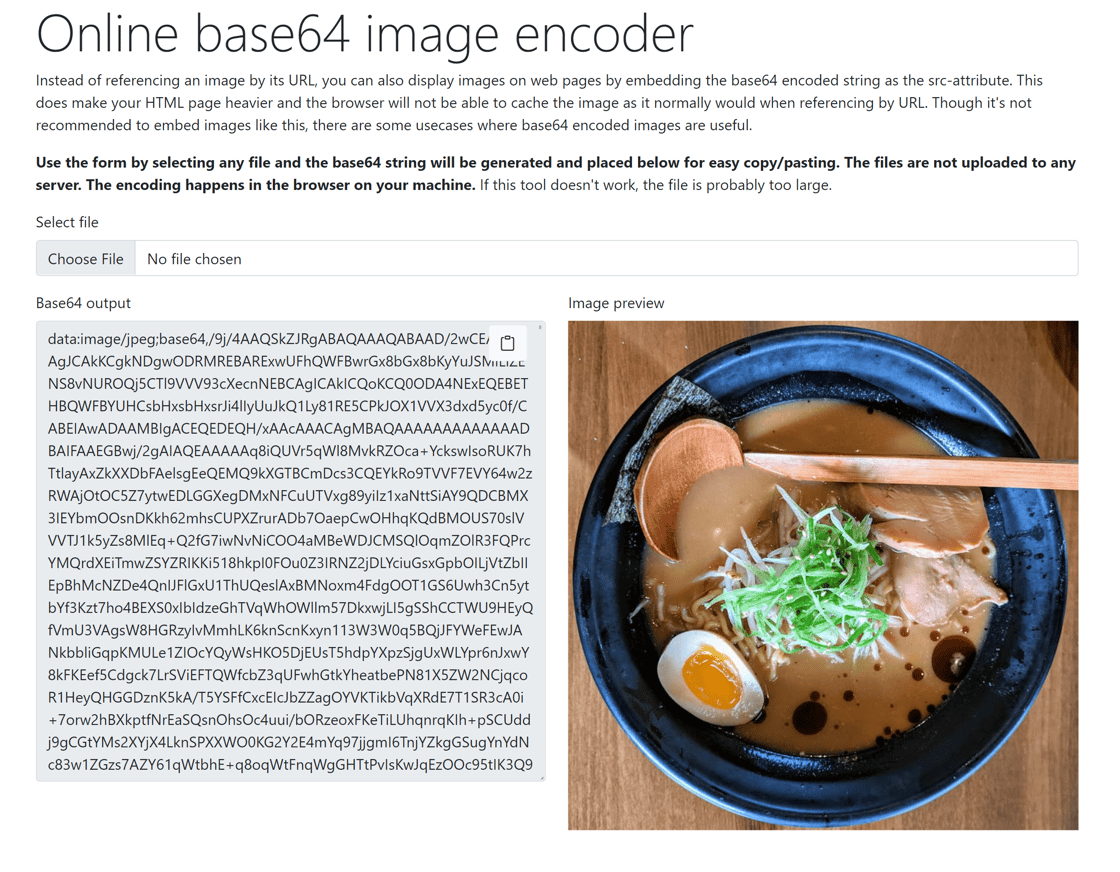
In addition to loading images on an HTML page by referencing the image via URL, you can also embed the base64 string of the image. In most cases, this is not a good idea because it will make your HTML page much larger in size and the image won't be cached by URL. Though, there are some edge cases where this is useful.
This little tool generates the base64 data URL for the file you select without uploading it to a server.
The base64 encoding happens inside your browser. You can find this little tool here: [Online base64 image encoder](https://img2base64.swimburger.net/)
 Alternatively, you can use the following PowerShell command on Windows: `[convert]::ToBase64String((get-content "PATH_TO_IMAGE_HERE" -encoding byte))`.
On Linux, you can use the following command `base64 "PATH_TO_IMAGE_HERE"`.