---
title: "Swimburger - Blog - Web"
description: "Swimburger.net is a blog about .NET, cloud, web development, and whatever comes across Swimburger's plate. Swimburger.net is run by Niels Swimberghe."
canonical: "https://swimburger.net/blog/web/all"
---

[

<picture><img class="blog-post-card__image" src="/cdn-cgi/image/width=250,format=auto,quality=90,height=250,fit=cover,gravity=1x0.5/media/0eklaput/don-t-let-your-users-get-pwned-via-email-html-injection-3.png" srcset="/cdn-cgi/image/width=250,format=auto,quality=90,height=250,fit=cover,gravity=1x0.5/media/0eklaput/don-t-let-your-users-get-pwned-via-email-html-injection-3.png 250w, /cdn-cgi/image/width=375,format=auto,quality=90,height=375,fit=cover,gravity=1x0.5/media/0eklaput/don-t-let-your-users-get-pwned-via-email-html-injection-3.png 375w, /cdn-cgi/image/width=500,format=auto,quality=90,height=500,fit=cover,gravity=1x0.5/media/0eklaput/don-t-let-your-users-get-pwned-via-email-html-injection-3.png 500w" sizes="250px" width="250" height="250" alt="Hacker in front of a computer running applications in multiple terminals" decoding="async" loading="lazy" style="background-color:#06033a"></picture>

## Don't let your users get pwned via email HTML injection

3/23/2022 - Web

Learn how to prevent HTML injection into your emails and protect your users from bad actors!


](/blog/web/dont-let-your-users-get-pwned-via-email-html-injection)[

<picture><img class="blog-post-card__image" src="/cdn-cgi/image/width=250,format=auto,quality=90,height=250,fit=cover,gravity=0.5x0.5/media/rb2hewqy/thumbnail.png" srcset="/cdn-cgi/image/width=250,format=auto,quality=90,height=250,fit=cover,gravity=0.5x0.5/media/rb2hewqy/thumbnail.png 250w, /cdn-cgi/image/width=375,format=auto,quality=90,height=375,fit=cover,gravity=0.5x0.5/media/rb2hewqy/thumbnail.png 375w, /cdn-cgi/image/width=500,format=auto,quality=90,height=500,fit=cover,gravity=0.5x0.5/media/rb2hewqy/thumbnail.png 500w" sizes="250px" width="250" height="250" alt="Microsoft Bing and Yandex logo" decoding="async" loading="lazy" style="background-color:#ff"></picture>

## An introduction to IndexNow and why you should care

2/1/2022 - Web

IndexNow is still relatively new but is getting a lot of interest in the search engine community. Hopefully, you can soon submit your content once to IndexNow, and stop manually submitting those URLs to every search engine console manually. And instead of search engines having to crawl the web over and over to look for new content, the content can be delivered directly from the source, reducing the environmental impact of crawlers.


](/blog/web/an-introduction-to-indexnow-and-why-you-should-care)[

<picture><img class="blog-post-card__image" src="/media/ygnfku2u/cf-logo-v.svg" width="250" height="250" alt="Cloudflare logo" decoding="async" loading="lazy" style="background-color:#fff"></picture>

## Develop webhooks locally using Cloudflared Tunnel

1/28/2022 - Web

Webhooks are a common way to integrate with external service, including Twilio! Learn how to develop webhooks locally using Cloudflare Tunnels!


](/blog/web/develop-webhooks-locally-using-cloudflared-tunnel)[

<picture><img class="blog-post-card__image" src="/cdn-cgi/image/width=250,format=auto,quality=90,height=250,fit=cover,gravity=0.5x0.5/media/vjjh5cag/download.jpg" srcset="/cdn-cgi/image/width=250,format=auto,quality=90,height=250,fit=cover,gravity=0.5x0.5/media/vjjh5cag/download.jpg 250w, /cdn-cgi/image/width=375,format=auto,quality=90,height=375,fit=cover,gravity=0.5x0.5/media/vjjh5cag/download.jpg 375w, /cdn-cgi/image/width=500,format=auto,quality=90,height=500,fit=cover,gravity=0.5x0.5/media/vjjh5cag/download.jpg 500w" sizes="250px" width="250" height="250" alt="Japanese Ramen Soup" decoding="async" loading="lazy"></picture>

## Introducing online base64 image encoder

2/10/2021 - Web

This little tool generates the base64 data URL for the file you select without uploading it to a server. The base64 encoding happens inside your browser.


](/blog/web/introducing-online-base64-image-encoder)[

<picture><img class="blog-post-card__image" src="/cdn-cgi/image/width=250,format=auto,quality=90,height=250,fit=cover,gravity=0.5x0.5/media/zlqpnxpn/chrome-edge-powershell-square.png" srcset="/cdn-cgi/image/width=250,format=auto,quality=90,height=250,fit=cover,gravity=0.5x0.5/media/zlqpnxpn/chrome-edge-powershell-square.png 250w, /cdn-cgi/image/width=375,format=auto,quality=90,height=375,fit=cover,gravity=0.5x0.5/media/zlqpnxpn/chrome-edge-powershell-square.png 375w, /cdn-cgi/image/width=500,format=auto,quality=90,height=500,fit=cover,gravity=0.5x0.5/media/zlqpnxpn/chrome-edge-powershell-square.png 500w" sizes="250px" width="250" height="250" alt="Screenshot of HTTP Request in PowerShell" decoding="async" loading="lazy" style="background-color:#0c0c0c"></picture>

## Video: Copy HTTP Requests from Chrome/Edge DevTools to PowerShell/cURL/Fetch

2/3/2021 - Web

You can copy the recorded HTTP requests the from Chrome and Edge DevTools to PowerShell/cURL/Fetch. This allows you to quickly replay HTTP requests from the console/command line saving saving you time!


](/blog/web/video-copy-http-requests-from-chrome-edge-devtools-to-powershell-curl-fetch)[

<picture><img class="blog-post-card__image" src="/cdn-cgi/image/width=250,format=auto,quality=90,height=250,fit=cover,gravity=0.5x0.5/media/0fdno1q3/screenshot-square.png" srcset="/cdn-cgi/image/width=250,format=auto,quality=90,height=250,fit=cover,gravity=0.5x0.5/media/0fdno1q3/screenshot-square.png 250w, /cdn-cgi/image/width=375,format=auto,quality=90,height=375,fit=cover,gravity=0.5x0.5/media/0fdno1q3/screenshot-square.png 375w, /cdn-cgi/image/width=500,format=auto,quality=90,height=500,fit=cover,gravity=0.5x0.5/media/0fdno1q3/screenshot-square.png 500w" sizes="250px" width="250" height="250" alt="Microsoft Edge and Google Chrome logo" decoding="async" loading="lazy" style="background-color:#333"></picture>

## Video: Take screenshots using built-in commands in Chrome/Edge

1/30/2021 - Web

Chromium browsers such as Chrome and Edge have many lesser known features. One of those features is the ability to take screenshots of your current tab content.


](/blog/web/video-take-screenshots-using-built-in-commands-in-chromeedge)[

<picture><img class="blog-post-card__image" src="/cdn-cgi/image/width=250,format=auto,quality=90,height=250,fit=cover,gravity=0.5x0.5003335557038026/media/0drl1ne0/social-media-html-square.png" srcset="/cdn-cgi/image/width=250,format=auto,quality=90,height=250,fit=cover,gravity=0.5x0.5003335557038026/media/0drl1ne0/social-media-html-square.png 250w, /cdn-cgi/image/width=375,format=auto,quality=90,height=375,fit=cover,gravity=0.5x0.5003335557038026/media/0drl1ne0/social-media-html-square.png 375w, /cdn-cgi/image/width=500,format=auto,quality=90,height=500,fit=cover,gravity=0.5x0.5003335557038026/media/0drl1ne0/social-media-html-square.png 500w" sizes="250px" width="250" height="250" alt="Social Media Logo's in front of arrows" decoding="async" loading="lazy" style="background-color:#1E1E1E"></picture>

## Don't forget to provide image alt meta data for open graph and twitter cards social sharing

12/7/2020 - Web

Due to the lack of support historically and it not being prominent in many samples, the important alternative text meta tag is often forgotten. To add support for the alt-meta tag use og:image:alt and twitter:image:alt.


](/blog/web/dont-forget-to-provide-image-alt-meta-data-for-open-graph-and-twitter-cards-social-sharing)[
<picture><img class="blog-post-card__image" src="/cdn-cgi/image/width=250,format=auto,quality=90,height=250,fit=cover,gravity=0.5x0.5/media/tzxjbrly/metatagsio-thumb.png" srcset="/cdn-cgi/image/width=250,format=auto,quality=90,height=250,fit=cover,gravity=0.5x0.5/media/tzxjbrly/metatagsio-thumb.png 250w, /cdn-cgi/image/width=375,format=auto,quality=90,height=375,fit=cover,gravity=0.5x0.5/media/tzxjbrly/metatagsio-thumb.png 375w, /cdn-cgi/image/width=500,format=auto,quality=90,height=500,fit=cover,gravity=0.5x0.5/media/tzxjbrly/metatagsio-thumb.png 500w" sizes="250px" width="250" height="250" alt="Screenshot of metatags.io preview" decoding="async" loading="lazy" style="background-color:#fff"></picture>

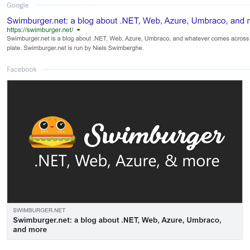
## Verify what your webpage looks like in Google, Facebook, Twitter, LinkedIn, and more

11/23/2020 - Web

Social media platforms each generate link previews/cards differently. You can use the official debuggers/inspectors provided by Facebook, Twitter, LinkedIn to debug the previews. To quickly preview multiple social networks + Google + Slack, you can use metatags.io.


](/blog/web/verify-what-your-webpage-looks-like-in-google-facebook-twitter-linkedin-and-more)[

<picture><img class="blog-post-card__image" src="/cdn-cgi/image/width=250,format=auto,quality=90,height=250,fit=cover,gravity=0.5x0.5003385624272424/media/a1anrv4u/screenshot-square.png" srcset="/cdn-cgi/image/width=250,format=auto,quality=90,height=250,fit=cover,gravity=0.5x0.5003385624272424/media/a1anrv4u/screenshot-square.png 250w, /cdn-cgi/image/width=375,format=auto,quality=90,height=375,fit=cover,gravity=0.5x0.5003385624272424/media/a1anrv4u/screenshot-square.png 375w, /cdn-cgi/image/width=500,format=auto,quality=90,height=500,fit=cover,gravity=0.5x0.5003385624272424/media/a1anrv4u/screenshot-square.png 500w" sizes="250px" width="250" height="250" alt="Microsoft Edge and Google Chrome logo" decoding="async" loading="lazy" style="background-color:#333"></picture>

## Hidden Gem: Take screenshots using built-in commands in Chrome/Edge

8/10/2020 - Web

Chromium browsers such as Chrome and Edge have many lesser known features. One of those features is the ability to take screenshots of your current tab content. These commands are even more powerful when you emulate different devices and resolutions.


](/blog/web/hidden-gem-take-screenshots-using-built-in-commands-in-chrome-edge)[

<picture><img class="blog-post-card__image" src="/cdn-cgi/image/width=250,format=auto,quality=90,height=250,fit=cover,gravity=0.5x0.5/media/zu3jx2vb/chrome-edge-powershell-square.png" srcset="/cdn-cgi/image/width=250,format=auto,quality=90,height=250,fit=cover,gravity=0.5x0.5/media/zu3jx2vb/chrome-edge-powershell-square.png 250w, /cdn-cgi/image/width=375,format=auto,quality=90,height=375,fit=cover,gravity=0.5x0.5/media/zu3jx2vb/chrome-edge-powershell-square.png 375w, /cdn-cgi/image/width=500,format=auto,quality=90,height=500,fit=cover,gravity=0.5x0.5/media/zu3jx2vb/chrome-edge-powershell-square.png 500w" sizes="250px" width="250" height="250" alt="Screenshot of HTTP Request in PowerShell" decoding="async" loading="lazy" style="background-color:#0c0c0c"></picture>

## Copy HTTP Requests from Chrome/Edge DevTools to PowerShell/cURL/Fetch

7/6/2020 - Web

You can copy the recorded HTTP requests the from Chrome and Edge DevTools to PowerShell/cURL/Fetch. This allows you to quickly replay HTTP requests from the console/command line saving saving you time!


](/blog/web/copy-http-requests-from-chrome-edge-devtools-to-powershell-curl-fetch)[

<picture><img class="blog-post-card__image" src="/cdn-cgi/image/width=250,format=auto,quality=90,height=250,fit=cover/media/0xmbgtlb/umbraco-images-square.png" srcset="/cdn-cgi/image/width=250,format=auto,quality=90,height=250,fit=cover/media/0xmbgtlb/umbraco-images-square.png 250w, /cdn-cgi/image/width=375,format=auto,quality=90,height=375,fit=cover/media/0xmbgtlb/umbraco-images-square.png 375w, /cdn-cgi/image/width=500,format=auto,quality=90,height=500,fit=cover/media/0xmbgtlb/umbraco-images-square.png 500w" sizes="250px" width="250" height="250" alt="Phone/Tablet/Laptop displaying Umbraco logo" decoding="async" loading="lazy" style="background-color:#2D2D2D"></picture>

## Implementing Responsive Images in Umbraco

12/24/2019 - Umbraco

The web platform has responsive image capabilities such as the srcset-attribute, sizes-attribute, and the picture-element. These capabilities may seem daunting sometimes. We'll learn how to make them available and maintainable to Umbraco content editors.


](/blog/umbraco/implementing-responsive-images-in-umbraco)[
<picture><img class="blog-post-card__image" src="/cdn-cgi/image/width=250,format=auto,quality=90,height=250,fit=cover,gravity=0.5x0.5/media/5cxfbnm2/html-agility-pack-net_.png" srcset="/cdn-cgi/image/width=250,format=auto,quality=90,height=250,fit=cover,gravity=0.5x0.5/media/5cxfbnm2/html-agility-pack-net_.png 250w, /cdn-cgi/image/width=375,format=auto,quality=90,height=375,fit=cover,gravity=0.5x0.5/media/5cxfbnm2/html-agility-pack-net_.png 375w, /cdn-cgi/image/width=500,format=auto,quality=90,height=500,fit=cover,gravity=0.5x0.5/media/5cxfbnm2/html-agility-pack-net_.png 500w" sizes="250px" width="250" height="250" alt="Screenshot of the HTML Agility Pack homepage" decoding="async" loading="lazy" style="background-color:#c00"></picture>

## Auto generate Heading Anchors using HTML AgilityPack DOM Manipulation

9/22/2019 - .NET

Manually adding an anchor to every heading would be a painful solution. So let's learn how we can achieve this by generating the Heading Anchors using the HTML AgilityPack .NET library.


](/blog/dotnet/auto-generate-heading-anchors-using-html-agilitypack-dom-manipulation)[
<picture><img class="blog-post-card__image" src="/cdn-cgi/image/width=250,format=auto,quality=90,height=250,fit=cover,gravity=0.5x0.5003335557038026/media/1191/dotnet-core-selenium-tests-in-azure-devops-thumb.png" srcset="/cdn-cgi/image/width=250,format=auto,quality=90,height=250,fit=cover,gravity=0.5x0.5003335557038026/media/1191/dotnet-core-selenium-tests-in-azure-devops-thumb.png 250w, /cdn-cgi/image/width=375,format=auto,quality=90,height=375,fit=cover,gravity=0.5x0.5003335557038026/media/1191/dotnet-core-selenium-tests-in-azure-devops-thumb.png 375w, /cdn-cgi/image/width=500,format=auto,quality=90,height=500,fit=cover,gravity=0.5x0.5003335557038026/media/1191/dotnet-core-selenium-tests-in-azure-devops-thumb.png 500w" sizes="250px" width="250" height="250" alt=".NET and Selenium logo connected to Azure DevOps Pipelines logo driving browser" decoding="async" loading="lazy" style="background-color:#2D2D2D"></picture>

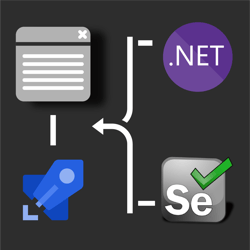
## How to run .NET Core Selenium UI tests on Azure DevOps Pipelines Windows/Ubuntu agents? 🚀

8/11/2019 - .NET

his post discusses how to take those UI tests and run them in Azure DevOps Pipelines on both Windows & Ubuntu agents. Use this GitHub repository which contains the UI test project necessary to follow along in this post.


](/blog/dotnet/how-to-run-net-core-selenium-ui-tests-on-azure-devops-pipelines)[
<picture><img class="blog-post-card__image" src="/cdn-cgi/image/width=250,format=auto,quality=90,height=250,fit=cover,gravity=0.5x0.5/media/1163/dotnet-core-selenium-square.png" srcset="/cdn-cgi/image/width=250,format=auto,quality=90,height=250,fit=cover,gravity=0.5x0.5/media/1163/dotnet-core-selenium-square.png 250w, /cdn-cgi/image/width=375,format=auto,quality=90,height=375,fit=cover,gravity=0.5x0.5/media/1163/dotnet-core-selenium-square.png 375w, /cdn-cgi/image/width=500,format=auto,quality=90,height=500,fit=cover,gravity=0.5x0.5/media/1163/dotnet-core-selenium-square.png 500w" sizes="250px" width="250" height="250" alt=".NET Core + Selenium logo steering a web browser window" decoding="async" loading="lazy" style="background-color:#2D2D2D"></picture>

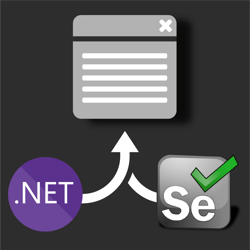
## How to UI test using Selenium and .NET Core on Windows, Ubuntu, and MacOS

7/25/2019 - .NET

Selenium is a browser 🌐 automation tool mainly used for UI testing and automating tasks. Selenium is agnostic of operating system, programming language, and browser. You can automate Chrome on MacOS using C#, FireFox using Python on Windows, or Opera using NodeJS on Linux to give you a few examples.


](/blog/dotnet/how-to-ui-test-using-selenium-and-net-core-on-windows-ubuntu-and-maybe-macos)[

<picture><img class="blog-post-card__image" src="/cdn-cgi/image/width=250,format=auto,quality=90,height=250,fit=cover,gravity=0.5x0.5/media/1152/deleting-old-web-app-logs-using-azure-square.png" srcset="/cdn-cgi/image/width=250,format=auto,quality=90,height=250,fit=cover,gravity=0.5x0.5/media/1152/deleting-old-web-app-logs-using-azure-square.png 250w, /cdn-cgi/image/width=375,format=auto,quality=90,height=375,fit=cover,gravity=0.5x0.5/media/1152/deleting-old-web-app-logs-using-azure-square.png 375w, /cdn-cgi/image/width=500,format=auto,quality=90,height=500,fit=cover,gravity=0.5x0.5/media/1152/deleting-old-web-app-logs-using-azure-square.png 500w" sizes="250px" width="250" height="250" alt="PowerShell and Azure WebJobs Logo running a shredder, shredding logs" decoding="async" loading="lazy" style="background-color:#2D2D2D"></picture>

## Deleting old web app logs using Azure Web Jobs and PowerShell

7/1/2019 - Azure

When you're Azure App Service writes a lot of logs, these logs can quickly pile up and even hit your "File system storage" quota limits. This was something I personally didn't pay attention to for quite some time and was surprised to find multiple gigabytes of logs sitting in my app service. To solve this issue, you can use a PowerShell script and a time triggered Azure Web Job.


](/blog/azure/deleting-old-web-app-logs-using-azure-web-jobs-and-powershell)[

<picture><img class="blog-post-card__image" src="/cdn-cgi/image/width=250,format=auto,quality=90,height=250,fit=cover/media/1141/bulk-add-ip-access-restrictions-square.png" srcset="/cdn-cgi/image/width=250,format=auto,quality=90,height=250,fit=cover/media/1141/bulk-add-ip-access-restrictions-square.png 250w, /cdn-cgi/image/width=375,format=auto,quality=90,height=375,fit=cover/media/1141/bulk-add-ip-access-restrictions-square.png 375w, /cdn-cgi/image/width=500,format=auto,quality=90,height=500,fit=cover/media/1141/bulk-add-ip-access-restrictions-square.png 500w" sizes="250px" width="250" height="250" alt="Azure Logo holding a stop sign and PowerShell logo" decoding="async" loading="lazy" style="background-color:#2D2D2D"></picture>

## Bulk add IP Access Restrictions to Azure App Service using Az PowerShell

6/5/2019 - Azure

Azure App Services are publicly accessible via Azure's public DNS in the format of "\[NAME\].azurewebsites.net", but there are many reasons for not wanting it to be accessible via the DNS. This script uses the Az PowerShell module to bulk add IP Ranges into the Access Restriction feature in App Service.


](/blog/azure/bulk-add-ip-access-restrictions-to-azure-app-service-using-az-powershell)[

<picture><img class="blog-post-card__image" src="/cdn-cgi/image/width=250,format=auto,quality=90,height=250,fit=cover/media/1144/bulk-add-cloudflares-square.png" srcset="/cdn-cgi/image/width=250,format=auto,quality=90,height=250,fit=cover/media/1144/bulk-add-cloudflares-square.png 250w, /cdn-cgi/image/width=375,format=auto,quality=90,height=375,fit=cover/media/1144/bulk-add-cloudflares-square.png 375w, /cdn-cgi/image/width=500,format=auto,quality=90,height=500,fit=cover/media/1144/bulk-add-cloudflares-square.png 500w" sizes="250px" width="250" height="250" alt="Azure logo holding stop sign, PowerShell logo, and Cloudflare logo" decoding="async" loading="lazy" style="background-color:#2D2D2D"></picture>

## Bulk add Cloudflare's IPs to Azure App Service Access Restrictions using Az PowerShell

6/5/2019 - Azure

Azure App Services are publicly accessible via Azure's public DNS, but when using Cloudflare you should lock this down to only allow Cloudflare to reach your service. This script will add all Cloudflare's IP ranges to your app service Access Restriction.


](/blog/azure/bulk-add-cloudflares-ips-to-azure-app-service-access-restrictions-using-az-powershell)[

<picture><img class="blog-post-card__image" src="/cdn-cgi/image/width=250,format=auto,quality=90,height=250,fit=cover/media/1147/bulk-add-ip-access-restrictions-square.png" srcset="/cdn-cgi/image/width=250,format=auto,quality=90,height=250,fit=cover/media/1147/bulk-add-ip-access-restrictions-square.png 250w, /cdn-cgi/image/width=375,format=auto,quality=90,height=375,fit=cover/media/1147/bulk-add-ip-access-restrictions-square.png 375w, /cdn-cgi/image/width=500,format=auto,quality=90,height=500,fit=cover/media/1147/bulk-add-ip-access-restrictions-square.png 500w" sizes="250px" width="250" height="250" alt="Azure logo holding stop sign and PowerShell logo" decoding="async" loading="lazy" style="background-color:#2D2D2D"></picture>

## Bulk add Application Insights Availability Test IPs to Azure App Service Access Restrictions using Az PowerShell

6/5/2019 - Azure

Azure App Services are publicly accessible via Azure's public DNS, but using Access Restrictions you can lock this down. To ensure your App Insight Availability Tests still work, you can use this PowerShell script to bulk insert all the IP ranges.


](/blog/azure/bulk-add-application-insights-availability-test-ips-to-azure-app-service-access-restrictions-using-az-powershell)[

<picture><img class="blog-post-card__image" src="/cdn-cgi/image/width=250,format=auto,quality=90,height=250,fit=cover,gravity=0.5x0.5/media/1138/thumbnail-cloudflare-clear-cache-azure-pipelines.png" srcset="/cdn-cgi/image/width=250,format=auto,quality=90,height=250,fit=cover,gravity=0.5x0.5/media/1138/thumbnail-cloudflare-clear-cache-azure-pipelines.png 250w, /cdn-cgi/image/width=375,format=auto,quality=90,height=375,fit=cover,gravity=0.5x0.5/media/1138/thumbnail-cloudflare-clear-cache-azure-pipelines.png 375w, /cdn-cgi/image/width=500,format=auto,quality=90,height=500,fit=cover,gravity=0.5x0.5/media/1138/thumbnail-cloudflare-clear-cache-azure-pipelines.png 500w" sizes="250px" width="250" height="250" alt="Azure DevOps Pipelines clearing Cloudflare Cache with broom" decoding="async" loading="lazy" style="background-color:#212121"></picture>

## Clearing Cloudflare cache using PowerShell in Azure DevOps Pipelines

5/28/2019 - Azure

Learn how to purge Cloudflare's cache as part of your Continuous Deployment. This post will walk you through creating a PowerShell task that interacts with Cloudflare's API to clear the cache. This task will run as part of an Azure DevOps Pipelines.


](/blog/azure/clearing-cloudflare-cache-using-powershell-in-azure-devops-pipelines)[

<picture><img class="blog-post-card__image" src="/cdn-cgi/image/width=250,format=auto,quality=90,height=250,fit=cover,gravity=0.5x0.5/media/1126/social-media-html-square.png" srcset="/cdn-cgi/image/width=250,format=auto,quality=90,height=250,fit=cover,gravity=0.5x0.5/media/1126/social-media-html-square.png 250w, /cdn-cgi/image/width=375,format=auto,quality=90,height=375,fit=cover,gravity=0.5x0.5/media/1126/social-media-html-square.png 375w, /cdn-cgi/image/width=500,format=auto,quality=90,height=500,fit=cover,gravity=0.5x0.5/media/1126/social-media-html-square.png 500w" sizes="250px" width="250" height="250" alt="Social Media Logo's in front of arrows" decoding="async" loading="lazy" style="background-color:#1E1E1E"></picture>

## Social Sharing Buttons with zero JavaScript to Twitter, Reddit, LinkedIn, and Facebook

5/20/2019 - Web

Instead of slowing down our site and feeding advertisement profiles, we can use plain HTML to provide social sharing functionality. This post will cover social sharing to Twitter, Reddit, LinkedIn, and Facebook.


](/blog/web/social-sharing-buttons-with-zero-javascript-to-twitter-reddit-linkedin-and-facebook)[

<picture><img class="blog-post-card__image" src="/cdn-cgi/image/width=250,format=auto,quality=90,height=250,fit=cover,gravity=0.5015974440894568x0.5015974440894568/media/1111/cloudflare-thumbnail.png" srcset="/cdn-cgi/image/width=250,format=auto,quality=90,height=250,fit=cover,gravity=0.5015974440894568x0.5015974440894568/media/1111/cloudflare-thumbnail.png 250w, /cdn-cgi/image/width=375,format=auto,quality=90,height=375,fit=cover,gravity=0.5015974440894568x0.5015974440894568/media/1111/cloudflare-thumbnail.png 375w, /cdn-cgi/image/width=500,format=auto,quality=90,height=500,fit=cover,gravity=0.5015974440894568x0.5015974440894568/media/1111/cloudflare-thumbnail.png 500w" sizes="250px" width="250" height="250" alt="MS Paint drawn Cloudflare logo" decoding="async" loading="lazy" style="background-color:#fff"></picture>

## Setting up Cloudflare Full Universal SSL/TLS/HTTPS with an Azure App Services

1/27/2019 - Azure

Using Cloudflare's Universal SSL/TLS service, we can provide our website over a safe HTTPS connection. This post walks you through setting up the SSL/TLS encrypted connection from client to Cloudflare, to your Azure Web Application using the Full (strict) option and Cloudflare's origin certificates.


](/blog/azure/setting-up-cloudflare-full-universal-ssl-with-an-azure-app-services)[

<picture><img class="blog-post-card__image" src="/cdn-cgi/image/width=250,format=auto,quality=90,height=250,fit=cover,gravity=0.5x0.5/media/1100/phone-speed-square.png" srcset="/cdn-cgi/image/width=250,format=auto,quality=90,height=250,fit=cover,gravity=0.5x0.5/media/1100/phone-speed-square.png 250w, /cdn-cgi/image/width=375,format=auto,quality=90,height=375,fit=cover,gravity=0.5x0.5/media/1100/phone-speed-square.png 375w, /cdn-cgi/image/width=500,format=auto,quality=90,height=500,fit=cover,gravity=0.5x0.5/media/1100/phone-speed-square.png 500w" sizes="250px" width="250" height="250" alt="Phone with speedometer" decoding="async" loading="lazy" style="background-color:#2D2D2D"></picture>

## Web performance: prevent wasteful hidden image requests (display: none)

1/1/2019 - Web

We often hide images using CSS with "display: none", but this doesn't actually prevent the browser from downloading these images. Using the HTML Picture element, we can serve different versions of an image depending on media queries. We can even use a data-img to prevent images from being downloaded at all and optimize our website speed.


](/blog/web/web-performance-prevent-wasteful-hidden-image-requests)[

<picture><img class="blog-post-card__image" src="/cdn-cgi/image/width=250,format=auto,quality=90,height=250,fit=cover,gravity=0.5x0.5/media/1091/robot-umbraco-square.png" srcset="/cdn-cgi/image/width=250,format=auto,quality=90,height=250,fit=cover,gravity=0.5x0.5/media/1091/robot-umbraco-square.png 250w, /cdn-cgi/image/width=375,format=auto,quality=90,height=375,fit=cover,gravity=0.5x0.5/media/1091/robot-umbraco-square.png 375w, /cdn-cgi/image/width=500,format=auto,quality=90,height=500,fit=cover,gravity=0.5x0.5/media/1091/robot-umbraco-square.png 500w" sizes="250px" width="250" height="250" alt="Robot with Umbraco logo" decoding="async" loading="lazy" style="background-color:#2D2D2D"></picture>

## Crawling through Umbraco with Robots

12/31/2018 - Umbraco

The robots.txt file’s main purpose is to tell robots (Google Bot, Bing Bot, etc.) what to index for their search engine, and also what not to. Usually you want most of your website crawled by Google, such as blog posts, product pages, etc., but most websites will have some pages/sections that shouldn’t be indexed or listed in search engines.


](/blog/umbraco/crawling-through-umbraco-with-robots)[

<picture><img class="blog-post-card__image" src="/cdn-cgi/image/width=250,format=auto,quality=90,height=250,fit=cover,gravity=0.5017667844522968x0.5017667844522968/media/1084/crawling-through-umbraco-square.png" srcset="/cdn-cgi/image/width=250,format=auto,quality=90,height=250,fit=cover,gravity=0.5017667844522968x0.5017667844522968/media/1084/crawling-through-umbraco-square.png 250w, /cdn-cgi/image/width=375,format=auto,quality=90,height=375,fit=cover,gravity=0.5017667844522968x0.5017667844522968/media/1084/crawling-through-umbraco-square.png 375w, /cdn-cgi/image/width=500,format=auto,quality=90,height=500,fit=cover,gravity=0.5017667844522968x0.5017667844522968/media/1084/crawling-through-umbraco-square.png 500w" sizes="250px" width="250" height="250" alt="Spider Web with Umbraco logo" decoding="async" loading="lazy" style="background-color:#2D2D2D"></picture>

## Crawling through Umbraco with Sitemaps

10/14/2018 - Umbraco

Websites come in all shapes and sizes. Some are fast, some are beautiful, and some are a complete mess. Whether it's a high-quality site is irrelevant if people can’t find it, but search engines are here to help. Though the competition to get on first page is tough, this series will dive into some common practices to make your website crawlable.


](/blog/umbraco/crawling-through-umbraco-with-sitemaps)[

<picture><img class="blog-post-card__image" src="/cdn-cgi/image/width=250,format=auto,quality=90,height=250,fit=cover,gravity=0.5x0.5/media/1072/phidippus_audax_male-1.jpg" srcset="/cdn-cgi/image/width=250,format=auto,quality=90,height=250,fit=cover,gravity=0.5x0.5/media/1072/phidippus_audax_male-1.jpg 250w, /cdn-cgi/image/width=375,format=auto,quality=90,height=375,fit=cover,gravity=0.5x0.5/media/1072/phidippus_audax_male-1.jpg 375w, /cdn-cgi/image/width=500,format=auto,quality=90,height=500,fit=cover,gravity=0.5x0.5/media/1072/phidippus_audax_male-1.jpg 500w" sizes="250px" width="250" height="250" alt="Adorable spider" decoding="async" loading="lazy" style="background-color:#9FB74F"></picture>

## Updated Ajax + SEO Guidelines

11/7/2015 - Web

When you build an Ajax based website and want to be SEO friendly, there are a couple of techniques you have to apply. Back in 2009, Google made a proposal on how to make your Ajax pages crawlable.


](/blog/web/updated-ajax-seo-guidelines)
