---
title: "Swimburger - Blog - Selenium"
description: "Swimburger.net is a blog about .NET, cloud, web development, and whatever comes across Swimburger's plate. Swimburger.net is run by Niels Swimberghe."
canonical: "https://swimburger.net/blog/selenium"
---

[

<picture><img class="blog-post-card__image" src="/cdn-cgi/image/width=250,format=auto,quality=90,height=250,fit=cover,gravity=0.5x0.5/media/p5zpm4uh/recaptcha-s-selenium-ui-tests-square.png" srcset="/cdn-cgi/image/width=250,format=auto,quality=90,height=250,fit=cover,gravity=0.5x0.5/media/p5zpm4uh/recaptcha-s-selenium-ui-tests-square.png 250w, /cdn-cgi/image/width=375,format=auto,quality=90,height=375,fit=cover,gravity=0.5x0.5/media/p5zpm4uh/recaptcha-s-selenium-ui-tests-square.png 375w, /cdn-cgi/image/width=500,format=auto,quality=90,height=500,fit=cover,gravity=0.5x0.5/media/p5zpm4uh/recaptcha-s-selenium-ui-tests-square.png 500w" sizes="250px" width="250" height="250" alt=".NET Bot surfing a wave" decoding="async" loading="lazy" style="background-color:#fff"></picture>

## How to bypass Captchas in Selenium UI tests

5/19/2021 - .NET

Captchas are often used as a way to combat spam on website forms. Unfortunately, this also makes it harder to verify the functionality of the forms using UI tests like Selenium. To work around this you can extend your website with a bypass form.


](/blog/dotnet/how-to-bypass-recaptchas-in-selenium-ui-tests)[

<picture><img class="blog-post-card__image" src="/cdn-cgi/image/width=250,format=auto,quality=90,height=250,fit=cover,gravity=0.5x0.5/media/alanyim4/smtp4dev-selenium-email-capture-square.png" srcset="/cdn-cgi/image/width=250,format=auto,quality=90,height=250,fit=cover,gravity=0.5x0.5/media/alanyim4/smtp4dev-selenium-email-capture-square.png 250w, /cdn-cgi/image/width=375,format=auto,quality=90,height=375,fit=cover,gravity=0.5x0.5/media/alanyim4/smtp4dev-selenium-email-capture-square.png 375w, /cdn-cgi/image/width=500,format=auto,quality=90,height=500,fit=cover,gravity=0.5x0.5/media/alanyim4/smtp4dev-selenium-email-capture-square.png 500w" sizes="250px" width="250" height="250" alt=".NET Bot holding a letter" decoding="async" loading="lazy" style="background-color:#fff"></picture>

## Capture emails during development using smtp4dev and UI Test with Selenium

4/21/2021 - .NET

You can use smtp4dev during development to prevent emails from going out to real customers. This tool also supports IMAP which you can use to query emails for automated testing.


](/blog/dotnet/capture-emails-during-development-using-smtp4dev-and-ui-test-with-selenium)[
<picture><img class="blog-post-card__image" src="/cdn-cgi/image/width=250,format=auto,quality=90,height=250,fit=cover,gravity=0.5x0.5002459542608448/media/23pjfhze/chrome-csharp-square.png" srcset="/cdn-cgi/image/width=250,format=auto,quality=90,height=250,fit=cover,gravity=0.5x0.5002459542608448/media/23pjfhze/chrome-csharp-square.png 250w, /cdn-cgi/image/width=375,format=auto,quality=90,height=375,fit=cover,gravity=0.5x0.5002459542608448/media/23pjfhze/chrome-csharp-square.png 375w, /cdn-cgi/image/width=500,format=auto,quality=90,height=500,fit=cover,gravity=0.5x0.5002459542608448/media/23pjfhze/chrome-csharp-square.png 500w" sizes="250px" width="250" height="250" alt="C# and Chrome logo" decoding="async" loading="lazy" style="background-color:#0c0c0c"></picture>

## Download the right ChromeDriver version & keep it up to date on Windows/Linux/macOS using C# .NET

3/7/2021 - .NET

Chrome frequently updates automatically causing ChromeDriver versions to mismatch. Using C# .NET you can download the correct version of the ChromeDriver and keep it up-to-date.


](/blog/dotnet/download-the-right-chromedriver-version-and-keep-it-up-to-date-on-windows-linux-macos-using-csharp-dotnet)[
<picture><img class="blog-post-card__image" src="/cdn-cgi/image/width=250,format=auto,quality=90,height=250,fit=cover/media/devc0h3n/chrome-powershell-square.png" srcset="/cdn-cgi/image/width=250,format=auto,quality=90,height=250,fit=cover/media/devc0h3n/chrome-powershell-square.png 250w, /cdn-cgi/image/width=375,format=auto,quality=90,height=375,fit=cover/media/devc0h3n/chrome-powershell-square.png 375w, /cdn-cgi/image/width=500,format=auto,quality=90,height=500,fit=cover/media/devc0h3n/chrome-powershell-square.png 500w" sizes="250px" width="250" height="250" alt="PowerShell logo and Google Chrome logo" decoding="async" loading="lazy" style="background-color:#0c0c0c"></picture>

## Download the right ChromeDriver version & keep it up to date on Windows/Linux/macOS using PowerShell

2/18/2021 - PowerShell

Chrome frequently updates automatically causing ChromeDriver versions to mismatch. Using PowerShell you can download the correct version of the ChromeDriver and keep it up-to-date.


](/blog/powershell/download-the-right-chromedriver-on-windows-linux-macos-using-powershell)[
<picture><img class="blog-post-card__image" src="/cdn-cgi/image/width=250,format=auto,quality=90,height=250,fit=cover,gravity=0.5x0.5003335557038026/media/1191/dotnet-core-selenium-tests-in-azure-devops-thumb.png" srcset="/cdn-cgi/image/width=250,format=auto,quality=90,height=250,fit=cover,gravity=0.5x0.5003335557038026/media/1191/dotnet-core-selenium-tests-in-azure-devops-thumb.png 250w, /cdn-cgi/image/width=375,format=auto,quality=90,height=375,fit=cover,gravity=0.5x0.5003335557038026/media/1191/dotnet-core-selenium-tests-in-azure-devops-thumb.png 375w, /cdn-cgi/image/width=500,format=auto,quality=90,height=500,fit=cover,gravity=0.5x0.5003335557038026/media/1191/dotnet-core-selenium-tests-in-azure-devops-thumb.png 500w" sizes="250px" width="250" height="250" alt=".NET and Selenium logo connected to Azure DevOps Pipelines logo driving browser" decoding="async" loading="lazy" style="background-color:#2D2D2D"></picture>

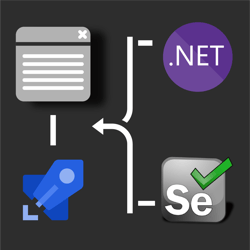
## How to run .NET Core Selenium UI tests on Azure DevOps Pipelines Windows/Ubuntu agents? 🚀

8/11/2019 - .NET

his post discusses how to take those UI tests and run them in Azure DevOps Pipelines on both Windows & Ubuntu agents. Use this GitHub repository which contains the UI test project necessary to follow along in this post.


](/blog/dotnet/how-to-run-net-core-selenium-ui-tests-on-azure-devops-pipelines)[
<picture><img class="blog-post-card__image" src="/cdn-cgi/image/width=250,format=auto,quality=90,height=250,fit=cover,gravity=0.5x0.5/media/1163/dotnet-core-selenium-square.png" srcset="/cdn-cgi/image/width=250,format=auto,quality=90,height=250,fit=cover,gravity=0.5x0.5/media/1163/dotnet-core-selenium-square.png 250w, /cdn-cgi/image/width=375,format=auto,quality=90,height=375,fit=cover,gravity=0.5x0.5/media/1163/dotnet-core-selenium-square.png 375w, /cdn-cgi/image/width=500,format=auto,quality=90,height=500,fit=cover,gravity=0.5x0.5/media/1163/dotnet-core-selenium-square.png 500w" sizes="250px" width="250" height="250" alt=".NET Core + Selenium logo steering a web browser window" decoding="async" loading="lazy" style="background-color:#2D2D2D"></picture>

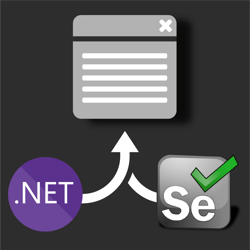
## How to UI test using Selenium and .NET Core on Windows, Ubuntu, and MacOS

7/25/2019 - .NET

Selenium is a browser 🌐 automation tool mainly used for UI testing and automating tasks. Selenium is agnostic of operating system, programming language, and browser. You can automate Chrome on MacOS using C#, FireFox using Python on Windows, or Opera using NodeJS on Linux to give you a few examples.


](/blog/dotnet/how-to-ui-test-using-selenium-and-net-core-on-windows-ubuntu-and-maybe-macos)
