---
title: "Swimburger - Blog - DotNetCore - Page 2"
description: "Swimburger.net is a blog about .NET, cloud, web development, and whatever comes across Swimburger's plate. Swimburger.net is run by Niels Swimberghe."
canonical: "https://swimburger.net/blog/dotnetcore/page/2"
---

[

<picture><img class="blog-post-card__image" src="/cdn-cgi/image/width=250,format=auto,quality=90,height=250,fit=cover,gravity=0.5x0.5/media/ttaf0suj/blazor-square.png" srcset="/cdn-cgi/image/width=250,format=auto,quality=90,height=250,fit=cover,gravity=0.5x0.5/media/ttaf0suj/blazor-square.png 250w, /cdn-cgi/image/width=375,format=auto,quality=90,height=375,fit=cover,gravity=0.5x0.5/media/ttaf0suj/blazor-square.png 375w, /cdn-cgi/image/width=500,format=auto,quality=90,height=500,fit=cover,gravity=0.5x0.5/media/ttaf0suj/blazor-square.png 500w" sizes="250px" width="250" height="250" alt="Blazor logo" decoding="async" loading="lazy" style="background-color:#fafafa"></picture>

## Fix Blazor WebAssembly PWA integrity checks

12/30/2020 - .NET

The service-worker-assets.js file is generated during publish and any modification made to the listed files after publish will cause the integrity check to fail.


](/blog/dotnet/fix-blazor-webassembly-pwa-integrity-checks)[
<picture><img class="blog-post-card__image" src="/cdn-cgi/image/width=250,format=auto,quality=90,height=250,fit=cover,gravity=0.5x0.5/media/sabcadlf/blazor-github-firebase-square.png" srcset="/cdn-cgi/image/width=250,format=auto,quality=90,height=250,fit=cover,gravity=0.5x0.5/media/sabcadlf/blazor-github-firebase-square.png 250w, /cdn-cgi/image/width=375,format=auto,quality=90,height=375,fit=cover,gravity=0.5x0.5/media/sabcadlf/blazor-github-firebase-square.png 375w, /cdn-cgi/image/width=500,format=auto,quality=90,height=500,fit=cover,gravity=0.5x0.5/media/sabcadlf/blazor-github-firebase-square.png 500w" sizes="250px" width="250" height="250" alt=" Blazor logo next to an arrow pointing to the GitHub logo next to a double arrow pointing from the GitHub logo to the Firebase Hosting logo " decoding="async" loading="lazy" style="background-color:#fff"></picture>

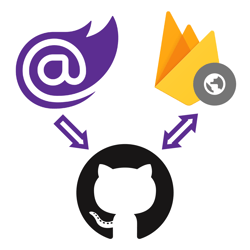
## How to deploy Blazor WebAssembly to Firebase Hosting

12/27/2020 - .NET

With ASP.NET Blazor WebAssembly you can create .NET applications that run completely inside of the browser. The output of a Blazor WASM project are all static files. You can deploy these applications to various static site hosts like Firebase Hosting.


](/blog/dotnet/how-to-deploy-blazor-webassembly-to-firebase-hosting)[

<picture><img class="blog-post-card__image" src="/cdn-cgi/image/width=250,format=auto,quality=90,height=250,fit=cover,gravity=0.4982464937912058x0.4982464937912058/media/ad2llt0w/javascript-in-blazor-ijso-square.png" srcset="/cdn-cgi/image/width=250,format=auto,quality=90,height=250,fit=cover,gravity=0.4982464937912058x0.4982464937912058/media/ad2llt0w/javascript-in-blazor-ijso-square.png 250w, /cdn-cgi/image/width=375,format=auto,quality=90,height=375,fit=cover,gravity=0.4982464937912058x0.4982464937912058/media/ad2llt0w/javascript-in-blazor-ijso-square.png 375w, /cdn-cgi/image/width=500,format=auto,quality=90,height=500,fit=cover,gravity=0.4982464937912058x0.4982464937912058/media/ad2llt0w/javascript-in-blazor-ijso-square.png 500w" sizes="250px" width="250" height="250" alt="Blazor next to JavaScript logo" decoding="async" loading="lazy" style="background-color:#fafafa"></picture>

## Interacting with JavaScript Objects using the new IJSObjectReference in Blazor

12/21/2020 - .NET

A new type is introduced in .NET 5 called IJSObjectReference. This type holds a reference to a JavaScript object and can be used to invoke functions available on that JavaScript object.


](/blog/dotnet/interacting-with-javascript-objects-using-the-new-ijsobjectreference-in-blazor)[

<picture><img class="blog-post-card__image" src="/cdn-cgi/image/width=250,format=auto,quality=90,height=250,fit=cover,gravity=0.4982464937912058x0.4984916607169275/media/ifzbm55o/dotnet-framework-square.png" srcset="/cdn-cgi/image/width=250,format=auto,quality=90,height=250,fit=cover,gravity=0.4982464937912058x0.4984916607169275/media/ifzbm55o/dotnet-framework-square.png 250w, /cdn-cgi/image/width=375,format=auto,quality=90,height=375,fit=cover,gravity=0.4982464937912058x0.4984916607169275/media/ifzbm55o/dotnet-framework-square.png 375w, /cdn-cgi/image/width=500,format=auto,quality=90,height=500,fit=cover,gravity=0.4982464937912058x0.4984916607169275/media/ifzbm55o/dotnet-framework-square.png 500w" sizes="250px" width="250" height="250" alt=".NET Bot" decoding="async" loading="lazy" style="background-color:#fff"></picture>

## Harden Anti-Forgery Tokens with IAntiforgeryAdditionalDataProvider in ASP.NET Core

12/13/2020 - .NET

Using IAntiforgeryAdditionalDataProvider you can harden ASP.NET Core's anti-forgery token feature by adding additional data and validating the additional data.


](/blog/dotnet/harden-anti-forgery-tokens-with-iantiforgeryadditionaldataprovider-in-aspnet-core)[

<picture><img class="blog-post-card__image" src="/cdn-cgi/image/width=250,format=auto,quality=90,height=250,fit=cover,gravity=0.5x0.5/media/rfhjjgka/blazor-twilio-calls-square.png" srcset="/cdn-cgi/image/width=250,format=auto,quality=90,height=250,fit=cover,gravity=0.5x0.5/media/rfhjjgka/blazor-twilio-calls-square.png 250w, /cdn-cgi/image/width=375,format=auto,quality=90,height=375,fit=cover,gravity=0.5x0.5/media/rfhjjgka/blazor-twilio-calls-square.png 375w, /cdn-cgi/image/width=500,format=auto,quality=90,height=500,fit=cover,gravity=0.5x0.5/media/rfhjjgka/blazor-twilio-calls-square.png 500w" sizes="250px" width="250" height="250" alt="Blazor and Twilio logo" decoding="async" loading="lazy" style="background-color:#fafafa"></picture>

## Making Phone Calls from Blazor WebAssembly with Twilio Voice

11/30/2020 - .NET

Using Twilio Voice you can add the ability to make and receive phone calls from your own ASP.NET web applications. Twilio’s helper library for JavaScript makes it easy to integrate client functionality into web front ends built with Blazor WebAssembly, and the Twilio NuGet packages provide you with convenient interfaces to Twilio’s APIs for server-side tasks.


](/blog/dotnet/making-phone-calls-from-blazor-webassembly-with-twilio-voice)[

<picture><img class="blog-post-card__image" src="/cdn-cgi/image/width=250,format=auto,quality=90,height=250,fit=cover,gravity=0.5x0.5/media/ku0blkjc/javascript-in-blazor-square.png" srcset="/cdn-cgi/image/width=250,format=auto,quality=90,height=250,fit=cover,gravity=0.5x0.5/media/ku0blkjc/javascript-in-blazor-square.png 250w, /cdn-cgi/image/width=375,format=auto,quality=90,height=375,fit=cover,gravity=0.5x0.5/media/ku0blkjc/javascript-in-blazor-square.png 375w, /cdn-cgi/image/width=500,format=auto,quality=90,height=500,fit=cover,gravity=0.5x0.5/media/ku0blkjc/javascript-in-blazor-square.png 500w" sizes="250px" width="250" height="250" alt="Blazor logo next to JavaScript logo" decoding="async" loading="lazy" style="background-color:#fafafa"></picture>

## Communicating between .NET and JavaScript in Blazor with in-browser samples

11/5/2020 - .NET

The success of Blazor relies heavily upon how well it can integrate with the existing rich JavaScript ecosystem. The way Blazor allows you to integrate, is by enabling you to call JavaScript functions from Blazor and .NET functions from JavaScript also referred to as 'JavaScript interoperability'.


](/blog/dotnet/communicating-between-dotnet-and-javascript-in-blazor-with-in-browser-samples)[

<picture><img class="blog-post-card__image" src="/cdn-cgi/image/width=250,format=auto,quality=90,height=250,fit=cover,gravity=0.5002263467632413x0.5002263467632413/media/fjjjglcr/blazor-firebase-square.png" srcset="/cdn-cgi/image/width=250,format=auto,quality=90,height=250,fit=cover,gravity=0.5002263467632413x0.5002263467632413/media/fjjjglcr/blazor-firebase-square.png 250w, /cdn-cgi/image/width=375,format=auto,quality=90,height=375,fit=cover,gravity=0.5002263467632413x0.5002263467632413/media/fjjjglcr/blazor-firebase-square.png 375w, /cdn-cgi/image/width=500,format=auto,quality=90,height=500,fit=cover,gravity=0.5002263467632413x0.5002263467632413/media/fjjjglcr/blazor-firebase-square.png 500w" sizes="250px" width="250" height="250" alt="Blazor and Firebase logo" decoding="async" loading="lazy" style="background-color:#fafafa"></picture>

## Real-time applications with Blazor Server and Firestore

10/16/2020 - DotNet

Blazor Server is built on SignalR, which is built on websockets. Among things, websockets enable Blazor Server to push changes from the server to the browser at any time. You can build real-time UI's when you combine this with a real-time database.


](/blog/dotnet/real-time-applications-with-blazor-server-and-firestore)[

<picture><img class="blog-post-card__image" src="/cdn-cgi/image/width=250,format=auto,quality=90,height=250,fit=cover,gravity=0.5x0.5/media/bkdbc3rw/blazor-logo.png" srcset="/cdn-cgi/image/width=250,format=auto,quality=90,height=250,fit=cover,gravity=0.5x0.5/media/bkdbc3rw/blazor-logo.png 250w, /cdn-cgi/image/width=375,format=auto,quality=90,height=375,fit=cover,gravity=0.5x0.5/media/bkdbc3rw/blazor-logo.png 375w, /cdn-cgi/image/width=500,format=auto,quality=90,height=500,fit=cover,gravity=0.5x0.5/media/bkdbc3rw/blazor-logo.png 500w" sizes="250px" width="250" height="250" alt="Blazor logo" decoding="async" loading="lazy" style="background-color:#fafafa"></picture>

## Pushing UI changes from Blazor Server to browser on server raised events

10/12/2020 - .NET

Blazor Server is built on SignalR, and SignalR is built on websockets among other techniques. The combination of these technologies allow Blazor Server to push UI changes into the client without the client requesting those changes.


](/blog/dotnet/pushing-ui-changes-from-blazor-server-to-browser-on-server-raised-events)[

<picture><img class="blog-post-card__image" src="/cdn-cgi/image/width=250,format=auto,quality=90,height=250,fit=cover,gravity=0.5x0.5/media/oy1deshi/serilog.png" srcset="/cdn-cgi/image/width=250,format=auto,quality=90,height=250,fit=cover,gravity=0.5x0.5/media/oy1deshi/serilog.png 250w, /cdn-cgi/image/width=375,format=auto,quality=90,height=375,fit=cover,gravity=0.5x0.5/media/oy1deshi/serilog.png 375w, /cdn-cgi/image/width=500,format=auto,quality=90,height=500,fit=cover,gravity=0.5x0.5/media/oy1deshi/serilog.png 500w" sizes="250px" width="250" height="250" alt="Serilog logo" decoding="async" loading="lazy" style="background-color:#ff2518"></picture>

## Changing Serilog Minimum level without application restart on .NET Framework and Core

9/21/2020 - .NET

There are many ways to configure Serilog. The configuration library has the additional advantage that it supports dynamic reloading of the MinimumLevel and LevelSwitches.


](/blog/dotnet/changing-serilog-minimum-level-without-application-restart-on-dotnet-framework-and-core)[

<picture><img class="blog-post-card__image" src="/cdn-cgi/image/width=250,format=auto,quality=90,height=250,fit=cover,gravity=0.49928332537028186x0.4995363155731044/media/bfejn0e2/net-framework-square.png" srcset="/cdn-cgi/image/width=250,format=auto,quality=90,height=250,fit=cover,gravity=0.49928332537028186x0.4995363155731044/media/bfejn0e2/net-framework-square.png 250w, /cdn-cgi/image/width=375,format=auto,quality=90,height=375,fit=cover,gravity=0.49928332537028186x0.4995363155731044/media/bfejn0e2/net-framework-square.png 375w, /cdn-cgi/image/width=500,format=auto,quality=90,height=500,fit=cover,gravity=0.49928332537028186x0.4995363155731044/media/bfejn0e2/net-framework-square.png 500w" sizes="250px" width="250" height="250" alt=".NET Bot writing on a whiteboard" decoding="async" loading="lazy" style="background-color:#fff"></picture>

## Using ConfigurationProviders from Microsoft.Extensions.Configuration on .NET Framework

9/18/2020 - .NET

.NET Core introduced new API's. Some of those libraries are built to support multiple .NET platforms including .NET Framework. So, if you're still using .NET Framework, you could also take advantage of these new libraries.


](/blog/dotnet/using-configurationproviders-from-microsoft-extensions-configuration-on-dotnet-framework)[

<picture><img class="blog-post-card__image" src="/cdn-cgi/image/width=250,format=auto,quality=90,height=250,fit=cover,gravity=0.5x0.5/media/npyes0h2/blazor-logo.png" srcset="/cdn-cgi/image/width=250,format=auto,quality=90,height=250,fit=cover,gravity=0.5x0.5/media/npyes0h2/blazor-logo.png 250w, /cdn-cgi/image/width=375,format=auto,quality=90,height=375,fit=cover,gravity=0.5x0.5/media/npyes0h2/blazor-logo.png 375w, /cdn-cgi/image/width=500,format=auto,quality=90,height=500,fit=cover,gravity=0.5x0.5/media/npyes0h2/blazor-logo.png 500w" sizes="250px" width="250" height="250" alt="ASP.NET Blazor Logo" decoding="async" loading="lazy" style="background-color:#fff"></picture>

## How to run code after Blazor component has rendered

8/17/2020 - .NET

Blazor components render their template whenever state has changed and sometimes you need to invoke some code after rendering has completed. This blog post will show you how to run code after your Blazor component has rendered, on every render or as needed.


](/blog/dotnet/how-to-run-code-after-blazor-component-has-rendered)[

<picture><img class="blog-post-card__image" src="/cdn-cgi/image/width=250,format=auto,quality=90,height=250,fit=cover,gravity=0.5x0.5000116669388952/media/fodlodm5/dotnet_redhat-square.png" srcset="/cdn-cgi/image/width=250,format=auto,quality=90,height=250,fit=cover,gravity=0.5x0.5000116669388952/media/fodlodm5/dotnet_redhat-square.png 250w, /cdn-cgi/image/width=375,format=auto,quality=90,height=375,fit=cover,gravity=0.5x0.5000116669388952/media/fodlodm5/dotnet_redhat-square.png 375w, /cdn-cgi/image/width=500,format=auto,quality=90,height=500,fit=cover,gravity=0.5x0.5000116669388952/media/fodlodm5/dotnet_redhat-square.png 500w" sizes="250px" width="250" height="250" alt=".NET Core logo + Dotnet bot wearing Red Hat" decoding="async" loading="lazy" style="background-color:#2D2D2D"></picture>

## How to run ASP.NET Core Web Application as a service on Linux without reverse proxy, no NGINX or Apache

2/10/2020 - .NET

This article walks us through running a ASP.NET Core web application on Linux (RHEL) using systemd. The end goal is to serve ASP.NET Core directly via the built-in Kestrel webserver over port 80/443.


](/blog/dotnet/how-to-run-aspnet-core-as-a-service-on-linux)[

<picture><img class="blog-post-card__image" src="/cdn-cgi/image/width=250,format=auto,quality=90,height=250,fit=cover,gravity=0.5x0.5/media/hlph3suu/dotnet_redhat-square.png" srcset="/cdn-cgi/image/width=250,format=auto,quality=90,height=250,fit=cover,gravity=0.5x0.5/media/hlph3suu/dotnet_redhat-square.png 250w, /cdn-cgi/image/width=375,format=auto,quality=90,height=375,fit=cover,gravity=0.5x0.5/media/hlph3suu/dotnet_redhat-square.png 375w, /cdn-cgi/image/width=500,format=auto,quality=90,height=500,fit=cover,gravity=0.5x0.5/media/hlph3suu/dotnet_redhat-square.png 500w" sizes="250px" width="250" height="250" alt=".NET Core logo + Dotnet bot wearing Red Hat" decoding="async" loading="lazy" style="background-color:#2D2D2D"></picture>

## How to run a .NET Core console app as a service using Systemd on Linux (RHEL)

1/31/2020 - .NET

Let's learn how to run a .NET Core console application on systemd. After running a console app as a service, we'll upgrade to using the dotnet core worker service template designed for long running services/daemons. Lastly, we'll add the systemd package integration.


](/blog/dotnet/how-to-run-a-dotnet-core-console-app-as-a-service-using-systemd-on-linux)[
<picture><img class="blog-post-card__image" src="/cdn-cgi/image/width=250,format=auto,quality=90,height=250,fit=cover,gravity=0.5x0.5/media/ghtp0qun/vscode-complain-dotnet-redhat.png" srcset="/cdn-cgi/image/width=250,format=auto,quality=90,height=250,fit=cover,gravity=0.5x0.5/media/ghtp0qun/vscode-complain-dotnet-redhat.png 250w, /cdn-cgi/image/width=375,format=auto,quality=90,height=375,fit=cover,gravity=0.5x0.5/media/ghtp0qun/vscode-complain-dotnet-redhat.png 375w, /cdn-cgi/image/width=500,format=auto,quality=90,height=500,fit=cover,gravity=0.5x0.5/media/ghtp0qun/vscode-complain-dotnet-redhat.png 500w" sizes="250px" width="250" height="250" alt="Visual Studio Code logo cursing at .NET Core logo with Red Hat logo" decoding="async" loading="lazy" style="background-color:#fff"></picture>

## VS Code C# Extension not working in Remote SSH mode on Red Hat Linux? Here's a workaround

12/18/2019 - .NET

Unfortunately, the C# Extension for VS Code malfunctions when following the official steps to install .NET Core on Red Hat and using the Remote SSH extension. OmniSharp is not able to find the .NET Core installation but we can work around this.


](/blog/dotnet/vs-code-csharp-extension-not-working-in-remote-ssh-mode-on-red-hat-linux-heres-a-workaround)[
<picture><img class="blog-post-card__image" src="/cdn-cgi/image/width=250,format=auto,quality=90,height=250,fit=cover,gravity=0x0.5/media/5oantfjq/vs-screenshot-of-ef-raw-sql-query-square.png" srcset="/cdn-cgi/image/width=250,format=auto,quality=90,height=250,fit=cover,gravity=0x0.5/media/5oantfjq/vs-screenshot-of-ef-raw-sql-query-square.png 250w, /cdn-cgi/image/width=375,format=auto,quality=90,height=375,fit=cover,gravity=0x0.5/media/5oantfjq/vs-screenshot-of-ef-raw-sql-query-square.png 375w, /cdn-cgi/image/width=500,format=auto,quality=90,height=500,fit=cover,gravity=0x0.5/media/5oantfjq/vs-screenshot-of-ef-raw-sql-query-square.png 500w" sizes="250px" width="250" height="250" alt="Screenshot of Visual Studio with EF Raw SQL Code" decoding="async" loading="lazy" style="background-color:#2d2d30"></picture>

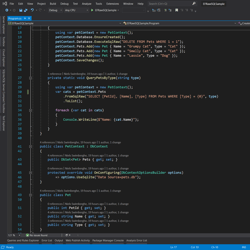
## Querying data using raw SQL & Stored Procedures in Entity Framework Core

10/21/2019 - .NET

When LINQ queries can't meet the performance requirements of your application, you can leverage Raw SQL and still have EF map the data to concrete .NET objects. You can also invoke Stored Procedures in case the logic of the SQL queries need to reside in the SQL Database.


](/blog/dotnet/querying-data-using-raw-sql-stored-procedures-in-entity-framework-core)[
<picture><img class="blog-post-card__image" src="/cdn-cgi/image/width=250,format=auto,quality=90,height=250,fit=cover,gravity=0.5x0.5003335557038026/media/1191/dotnet-core-selenium-tests-in-azure-devops-thumb.png" srcset="/cdn-cgi/image/width=250,format=auto,quality=90,height=250,fit=cover,gravity=0.5x0.5003335557038026/media/1191/dotnet-core-selenium-tests-in-azure-devops-thumb.png 250w, /cdn-cgi/image/width=375,format=auto,quality=90,height=375,fit=cover,gravity=0.5x0.5003335557038026/media/1191/dotnet-core-selenium-tests-in-azure-devops-thumb.png 375w, /cdn-cgi/image/width=500,format=auto,quality=90,height=500,fit=cover,gravity=0.5x0.5003335557038026/media/1191/dotnet-core-selenium-tests-in-azure-devops-thumb.png 500w" sizes="250px" width="250" height="250" alt=".NET and Selenium logo connected to Azure DevOps Pipelines logo driving browser" decoding="async" loading="lazy" style="background-color:#2D2D2D"></picture>

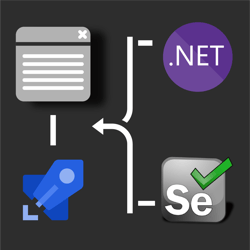
## How to run .NET Core Selenium UI tests on Azure DevOps Pipelines Windows/Ubuntu agents? 🚀

8/11/2019 - .NET

his post discusses how to take those UI tests and run them in Azure DevOps Pipelines on both Windows & Ubuntu agents. Use this GitHub repository which contains the UI test project necessary to follow along in this post.


](/blog/dotnet/how-to-run-net-core-selenium-ui-tests-on-azure-devops-pipelines)[
<picture><img class="blog-post-card__image" src="/cdn-cgi/image/width=250,format=auto,quality=90,height=250,fit=cover,gravity=0.5x0.5/media/1163/dotnet-core-selenium-square.png" srcset="/cdn-cgi/image/width=250,format=auto,quality=90,height=250,fit=cover,gravity=0.5x0.5/media/1163/dotnet-core-selenium-square.png 250w, /cdn-cgi/image/width=375,format=auto,quality=90,height=375,fit=cover,gravity=0.5x0.5/media/1163/dotnet-core-selenium-square.png 375w, /cdn-cgi/image/width=500,format=auto,quality=90,height=500,fit=cover,gravity=0.5x0.5/media/1163/dotnet-core-selenium-square.png 500w" sizes="250px" width="250" height="250" alt=".NET Core + Selenium logo steering a web browser window" decoding="async" loading="lazy" style="background-color:#2D2D2D"></picture>

## How to UI test using Selenium and .NET Core on Windows, Ubuntu, and MacOS

7/25/2019 - .NET

Selenium is a browser 🌐 automation tool mainly used for UI testing and automating tasks. Selenium is agnostic of operating system, programming language, and browser. You can automate Chrome on MacOS using C#, FireFox using Python on Windows, or Opera using NodeJS on Linux to give you a few examples.


](/blog/dotnet/how-to-ui-test-using-selenium-and-net-core-on-windows-ubuntu-and-maybe-macos)[

<picture><img class="blog-post-card__image" src="/cdn-cgi/image/width=250,format=auto,quality=90,height=250,fit=cover/media/1123/azure-discord-square.png" srcset="/cdn-cgi/image/width=250,format=auto,quality=90,height=250,fit=cover/media/1123/azure-discord-square.png 250w, /cdn-cgi/image/width=375,format=auto,quality=90,height=375,fit=cover/media/1123/azure-discord-square.png 375w, /cdn-cgi/image/width=500,format=auto,quality=90,height=500,fit=cover/media/1123/azure-discord-square.png 500w" sizes="250px" width="250" height="250" alt="Azure &amp; .NET &amp; Discord Logo" decoding="async" loading="lazy" style="background-color:#5B2D91"></picture>

## Creating a Discord Bot using .NET Core and hosting it on Azure App Services

4/29/2019 - Azure

Discord is an online communication platform built specifically for gaming. Using .NET Core and Azure App Service WebJobs we can host a Discord bot that can listen and respond to voice and text input.


](/blog/azure/creating-a-discord-bot-using-net-core-and-azure-app-services)

[Previous Page](/blog/dotnetcore#main-content)[Show All Posts](/blog/dotnetcore/all#main-content)

[Prev](/blog/dotnetcore#main-content)
