---
title: "Swimburger - Blog - .NET - Page 5"
description: "Swimburger.net is a blog about .NET, cloud, web development, and whatever comes across Swimburger's plate. Swimburger.net is run by Niels Swimberghe."
canonical: "https://swimburger.net/blog/dotnet/page/5"
---

[

<picture><img class="blog-post-card__image" src="/cdn-cgi/image/width=250,format=auto,quality=90,height=250,fit=cover,gravity=0.5x0.5/media/rivavmck/blazor-github-square.png" srcset="/cdn-cgi/image/width=250,format=auto,quality=90,height=250,fit=cover,gravity=0.5x0.5/media/rivavmck/blazor-github-square.png 250w, /cdn-cgi/image/width=375,format=auto,quality=90,height=375,fit=cover,gravity=0.5x0.5/media/rivavmck/blazor-github-square.png 375w, /cdn-cgi/image/width=500,format=auto,quality=90,height=500,fit=cover,gravity=0.5x0.5/media/rivavmck/blazor-github-square.png 500w" sizes="250px" width="250" height="250" alt="Blazor and GitHub logo" decoding="async" loading="lazy" style="background-color:#fff"></picture>

## How to deploy ASP.NET Blazor WebAssembly to GitHub Pages

8/31/2020 - .NET

With ASP.NET Blazor WebAssembly you can create .NET applications that run completely inside of the browser. The output of a Blazor WASM project are all static files. You can deploy these applications to various static site hosts like GitHub Pages.


](/blog/dotnet/how-to-deploy-aspnet-blazor-webassembly-to-github-pages)[
<picture><img class="blog-post-card__image" src="/cdn-cgi/image/width=250,format=auto,quality=90,height=250,fit=cover,gravity=0.5x0.5/media/jqilmp1y/blazor-github-azure-square.png" srcset="/cdn-cgi/image/width=250,format=auto,quality=90,height=250,fit=cover,gravity=0.5x0.5/media/jqilmp1y/blazor-github-azure-square.png 250w, /cdn-cgi/image/width=375,format=auto,quality=90,height=375,fit=cover,gravity=0.5x0.5/media/jqilmp1y/blazor-github-azure-square.png 375w, /cdn-cgi/image/width=500,format=auto,quality=90,height=500,fit=cover,gravity=0.5x0.5/media/jqilmp1y/blazor-github-azure-square.png 500w" sizes="250px" width="250" height="250" alt="How to deploy ASP.NET Blazor WebAssembly to Azure Static Web Apps. Blazor logo pointing to a GitHub logo pointing to an Azure logo." decoding="async" loading="lazy" style="background-color:#fff"></picture>

## How to deploy Blazor WASM & Azure Functions to Azure Static Web Apps using GitHub

8/24/2020 - .NET

With ASP.NET Blazor WebAssembly you can create .NET applications that run inside of the browser . The output of a Blazor WASM project are all static files. You can deploy these applications to static site hosts, such as Azure Static Web Apps and GitHub Pages.


](/blog/dotnet/how-to-deploy-aspnet-blazor-webassembly-to-azure-static-web-apps)[

<picture><img class="blog-post-card__image" src="/cdn-cgi/image/width=250,format=auto,quality=90,height=250,fit=cover,gravity=0.5x0.5/media/npyes0h2/blazor-logo.png" srcset="/cdn-cgi/image/width=250,format=auto,quality=90,height=250,fit=cover,gravity=0.5x0.5/media/npyes0h2/blazor-logo.png 250w, /cdn-cgi/image/width=375,format=auto,quality=90,height=375,fit=cover,gravity=0.5x0.5/media/npyes0h2/blazor-logo.png 375w, /cdn-cgi/image/width=500,format=auto,quality=90,height=500,fit=cover,gravity=0.5x0.5/media/npyes0h2/blazor-logo.png 500w" sizes="250px" width="250" height="250" alt="ASP.NET Blazor Logo" decoding="async" loading="lazy" style="background-color:#fff"></picture>

## How to run code after Blazor component has rendered

8/17/2020 - .NET

Blazor components render their template whenever state has changed and sometimes you need to invoke some code after rendering has completed. This blog post will show you how to run code after your Blazor component has rendered, on every render or as needed.


](/blog/dotnet/how-to-run-code-after-blazor-component-has-rendered)[

<picture><img class="blog-post-card__image" src="/cdn-cgi/image/width=250,format=auto,quality=90,height=250,fit=cover,gravity=0.5174072383681385x0.4690625146777922/media/mpim22mx/ndepend-logo.png" srcset="/cdn-cgi/image/width=250,format=auto,quality=90,height=250,fit=cover,gravity=0.5174072383681385x0.4690625146777922/media/mpim22mx/ndepend-logo.png 250w, /cdn-cgi/image/width=375,format=auto,quality=90,height=375,fit=cover,gravity=0.5174072383681385x0.4690625146777922/media/mpim22mx/ndepend-logo.png 375w, /cdn-cgi/image/width=500,format=auto,quality=90,height=500,fit=cover,gravity=0.5174072383681385x0.4690625146777922/media/mpim22mx/ndepend-logo.png 500w" sizes="250px" width="250" height="250" alt="NDepend Logo" decoding="async" loading="lazy" style="background-color:#0077C6"></picture>

## Checking out NDepend: a static code analysis tool for .NET

8/11/2020 - .NET

NDepend is a static code analysis tool (SAST) for .NET. NDepend will analyze your code for code smells, best practices, complexity, dead code, naming conventions, and much more.


](/blog/dotnet/checking-out-ndepend-a-static-code-analysis-tool-for-dotnet)[

<picture><img class="blog-post-card__image" src="/cdn-cgi/image/width=250,format=auto,quality=90,height=250,fit=cover,gravity=0.5x0.5/media/qbfo2sl3/dnnlogo.png" srcset="/cdn-cgi/image/width=250,format=auto,quality=90,height=250,fit=cover,gravity=0.5x0.5/media/qbfo2sl3/dnnlogo.png 250w, /cdn-cgi/image/width=375,format=auto,quality=90,height=375,fit=cover,gravity=0.5x0.5/media/qbfo2sl3/dnnlogo.png 375w, /cdn-cgi/image/width=500,format=auto,quality=90,height=500,fit=cover,gravity=0.5x0.5/media/qbfo2sl3/dnnlogo.png 500w" sizes="250px" width="250" height="250" alt="DNN Logo" decoding="async" loading="lazy" style="background-color:#fff"></picture>

## How to add Hangfire to DNN

8/6/2020 - .NET

DNN already has an excellent built-in scheduler you can use to schedule tasks. But you may be more familiar with and prefer Hangfire for running background jobs. These instruction will walk you through configuring Hangfire in with DNN.


](/blog/dotnet/how-to-add-hangfire-to-dnn)[
<picture><img class="blog-post-card__image" src="/cdn-cgi/image/width=250,format=auto,quality=90,height=250,fit=cover,gravity=0.0710139009711151x0.22766818987527038/media/i2knqbmn/capture.png" srcset="/cdn-cgi/image/width=250,format=auto,quality=90,height=250,fit=cover,gravity=0.0710139009711151x0.22766818987527038/media/i2knqbmn/capture.png 250w, /cdn-cgi/image/width=375,format=auto,quality=90,height=375,fit=cover,gravity=0.0710139009711151x0.22766818987527038/media/i2knqbmn/capture.png 375w, /cdn-cgi/image/width=500,format=auto,quality=90,height=500,fit=cover,gravity=0.0710139009711151x0.22766818987527038/media/i2knqbmn/capture.png 500w" sizes="250px" width="250" height="250" alt="Screenshot of NCrontab Expression Tester tool" decoding="async" loading="lazy" style="background-color:#fff"></picture>

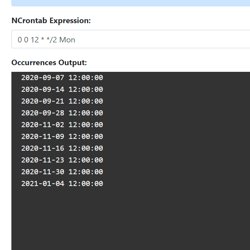
## Introducing NCrontab Tester (Blazor WebAssembly)

8/5/2020 - .NET

Introducing NCrontab Expression tester, made using NCrontab .NET library, Blazor WebAssembly, and hosted on Azure Static Web Apps


](/blog/dotnet/introducing-ncrontab-tester-blazor-webassembly)[

<picture><img class="blog-post-card__image" src="/cdn-cgi/image/width=250,format=auto,quality=90,height=250,fit=cover,gravity=0.5x0.5/media/kaklx3z1/dotnet-logo.png" srcset="/cdn-cgi/image/width=250,format=auto,quality=90,height=250,fit=cover,gravity=0.5x0.5/media/kaklx3z1/dotnet-logo.png 250w, /cdn-cgi/image/width=375,format=auto,quality=90,height=375,fit=cover,gravity=0.5x0.5/media/kaklx3z1/dotnet-logo.png 375w, /cdn-cgi/image/width=500,format=auto,quality=90,height=500,fit=cover,gravity=0.5x0.5/media/kaklx3z1/dotnet-logo.png 500w" sizes="250px" width="250" height="250" alt=".NET" decoding="async" loading="lazy" style="background-color:#512BD4"></picture>

## Download .NET Windows Theme based on the new .NET Brand GitHub repo

6/15/2020 - .NET

The .NET GitHub org has a new Brand repository containing a detailed Brand guidelines PDF, logo's, illustrations, and wallpapers. Using these resources I put together a Windows Theme for .NET which you can download here!


](/blog/dotnet/download-dotnet-windows-theme-based-on-the-new-dotnet-brand-github-repo)[
<picture><img class="blog-post-card__image" src="/cdn-cgi/image/width=250,format=auto,quality=90,height=250,fit=cover,gravity=0.5x0.5/media/gqldf41f/powershell-and-crm-square.png" srcset="/cdn-cgi/image/width=250,format=auto,quality=90,height=250,fit=cover,gravity=0.5x0.5/media/gqldf41f/powershell-and-crm-square.png 250w, /cdn-cgi/image/width=375,format=auto,quality=90,height=375,fit=cover,gravity=0.5x0.5/media/gqldf41f/powershell-and-crm-square.png 375w, /cdn-cgi/image/width=500,format=auto,quality=90,height=500,fit=cover,gravity=0.5x0.5/media/gqldf41f/powershell-and-crm-square.png 500w" sizes="250px" width="250" height="250" alt="CRM and PowerShell logo" decoding="async" loading="lazy" style="background-color:#fafafa"></picture>

## Use PowerShell to communicate with Dynamics CRM using the .NET XRM SDK

4/20/2020 - Dynamics

If you've developed client applications or plugins for Dynamics CRM before, you are familiar with the CRM/XRM DLL's. You may have gotten those DLL's from the CRM installation, the SDK zip, or the NuGet package. Another way to interact with the CRM DLL's is through PowerShell. PowerShell is built upon .NET meaning you can call exactly the same CRM libraries from PowerShell as from .NET applications.


](/blog/dynamics/use-powershell-to-communicate-with-dynamics-crm-using-the-dotnet-xrm-sdk)[
<picture><img class="blog-post-card__image" src="/cdn-cgi/image/width=250,format=auto,quality=90,height=250,fit=cover,gravity=0.5x0.5/media/unxjciar/powershell-and-crm-square.png" srcset="/cdn-cgi/image/width=250,format=auto,quality=90,height=250,fit=cover,gravity=0.5x0.5/media/unxjciar/powershell-and-crm-square.png 250w, /cdn-cgi/image/width=375,format=auto,quality=90,height=375,fit=cover,gravity=0.5x0.5/media/unxjciar/powershell-and-crm-square.png 375w, /cdn-cgi/image/width=500,format=auto,quality=90,height=500,fit=cover,gravity=0.5x0.5/media/unxjciar/powershell-and-crm-square.png 500w" sizes="250px" width="250" height="250" alt="CRM and PowerShell logo" decoding="async" loading="lazy" style="background-color:#fafafa"></picture>

## PowerShell snippet: Get optionset value/labels from Dynamics CRM Entity/Attribute

4/20/2020 - Dynamics

Instead of having to use the CRM interface to copy all the labels and values manually, you can save yourself a lot of time using this PowerShell script. Using the following script file named "GetOptionSet.ps1", you can list all the value/label pairs for a given Entity + OptionSet-Attribute:


](/blog/dynamics/powershell-snippet-get-optionset-value-labels-from-dynamics-crm-entity-attribute)[
<picture><img class="blog-post-card__image" src="/cdn-cgi/image/width=250,format=auto,quality=90,height=250,fit=cover,gravity=0.5x0.5000116669388952/media/fodlodm5/dotnet_redhat-square.png" srcset="/cdn-cgi/image/width=250,format=auto,quality=90,height=250,fit=cover,gravity=0.5x0.5000116669388952/media/fodlodm5/dotnet_redhat-square.png 250w, /cdn-cgi/image/width=375,format=auto,quality=90,height=375,fit=cover,gravity=0.5x0.5000116669388952/media/fodlodm5/dotnet_redhat-square.png 375w, /cdn-cgi/image/width=500,format=auto,quality=90,height=500,fit=cover,gravity=0.5x0.5000116669388952/media/fodlodm5/dotnet_redhat-square.png 500w" sizes="250px" width="250" height="250" alt=".NET Core logo + Dotnet bot wearing Red Hat" decoding="async" loading="lazy" style="background-color:#2D2D2D"></picture>

## How to run ASP.NET Core Web Application as a service on Linux without reverse proxy, no NGINX or Apache

2/10/2020 - .NET

This article walks us through running a ASP.NET Core web application on Linux (RHEL) using systemd. The end goal is to serve ASP.NET Core directly via the built-in Kestrel webserver over port 80/443.


](/blog/dotnet/how-to-run-aspnet-core-as-a-service-on-linux)[
<picture><img class="blog-post-card__image" src="/cdn-cgi/image/width=250,format=auto,quality=90,height=250,fit=cover,gravity=0.5x0.5/media/hlph3suu/dotnet_redhat-square.png" srcset="/cdn-cgi/image/width=250,format=auto,quality=90,height=250,fit=cover,gravity=0.5x0.5/media/hlph3suu/dotnet_redhat-square.png 250w, /cdn-cgi/image/width=375,format=auto,quality=90,height=375,fit=cover,gravity=0.5x0.5/media/hlph3suu/dotnet_redhat-square.png 375w, /cdn-cgi/image/width=500,format=auto,quality=90,height=500,fit=cover,gravity=0.5x0.5/media/hlph3suu/dotnet_redhat-square.png 500w" sizes="250px" width="250" height="250" alt=".NET Core logo + Dotnet bot wearing Red Hat" decoding="async" loading="lazy" style="background-color:#2D2D2D"></picture>

## How to run a .NET Core console app as a service using Systemd on Linux (RHEL)

1/31/2020 - .NET

Let's learn how to run a .NET Core console application on systemd. After running a console app as a service, we'll upgrade to using the dotnet core worker service template designed for long running services/daemons. Lastly, we'll add the systemd package integration.


](/blog/dotnet/how-to-run-a-dotnet-core-console-app-as-a-service-using-systemd-on-linux)[

<picture><img class="blog-post-card__image" src="/cdn-cgi/image/width=250,format=auto,quality=90,height=250,fit=cover/media/0xmbgtlb/umbraco-images-square.png" srcset="/cdn-cgi/image/width=250,format=auto,quality=90,height=250,fit=cover/media/0xmbgtlb/umbraco-images-square.png 250w, /cdn-cgi/image/width=375,format=auto,quality=90,height=375,fit=cover/media/0xmbgtlb/umbraco-images-square.png 375w, /cdn-cgi/image/width=500,format=auto,quality=90,height=500,fit=cover/media/0xmbgtlb/umbraco-images-square.png 500w" sizes="250px" width="250" height="250" alt="Phone/Tablet/Laptop displaying Umbraco logo" decoding="async" loading="lazy" style="background-color:#2D2D2D"></picture>

## Implementing Responsive Images in Umbraco

12/24/2019 - Umbraco

The web platform has responsive image capabilities such as the srcset-attribute, sizes-attribute, and the picture-element. These capabilities may seem daunting sometimes. We'll learn how to make them available and maintainable to Umbraco content editors.


](/blog/umbraco/implementing-responsive-images-in-umbraco)[
<picture><img class="blog-post-card__image" src="/cdn-cgi/image/width=250,format=auto,quality=90,height=250,fit=cover,gravity=0.5x0.5/media/ghtp0qun/vscode-complain-dotnet-redhat.png" srcset="/cdn-cgi/image/width=250,format=auto,quality=90,height=250,fit=cover,gravity=0.5x0.5/media/ghtp0qun/vscode-complain-dotnet-redhat.png 250w, /cdn-cgi/image/width=375,format=auto,quality=90,height=375,fit=cover,gravity=0.5x0.5/media/ghtp0qun/vscode-complain-dotnet-redhat.png 375w, /cdn-cgi/image/width=500,format=auto,quality=90,height=500,fit=cover,gravity=0.5x0.5/media/ghtp0qun/vscode-complain-dotnet-redhat.png 500w" sizes="250px" width="250" height="250" alt="Visual Studio Code logo cursing at .NET Core logo with Red Hat logo" decoding="async" loading="lazy" style="background-color:#fff"></picture>

## VS Code C# Extension not working in Remote SSH mode on Red Hat Linux? Here's a workaround

12/18/2019 - .NET

Unfortunately, the C# Extension for VS Code malfunctions when following the official steps to install .NET Core on Red Hat and using the Remote SSH extension. OmniSharp is not able to find the .NET Core installation but we can work around this.


](/blog/dotnet/vs-code-csharp-extension-not-working-in-remote-ssh-mode-on-red-hat-linux-heres-a-workaround)[
<picture><img class="blog-post-card__image" src="/cdn-cgi/image/width=250,format=auto,quality=90,height=250,fit=cover,gravity=0x0.5/media/5oantfjq/vs-screenshot-of-ef-raw-sql-query-square.png" srcset="/cdn-cgi/image/width=250,format=auto,quality=90,height=250,fit=cover,gravity=0x0.5/media/5oantfjq/vs-screenshot-of-ef-raw-sql-query-square.png 250w, /cdn-cgi/image/width=375,format=auto,quality=90,height=375,fit=cover,gravity=0x0.5/media/5oantfjq/vs-screenshot-of-ef-raw-sql-query-square.png 375w, /cdn-cgi/image/width=500,format=auto,quality=90,height=500,fit=cover,gravity=0x0.5/media/5oantfjq/vs-screenshot-of-ef-raw-sql-query-square.png 500w" sizes="250px" width="250" height="250" alt="Screenshot of Visual Studio with EF Raw SQL Code" decoding="async" loading="lazy" style="background-color:#2d2d30"></picture>

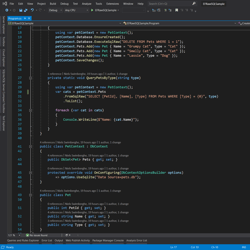
## Querying data using raw SQL & Stored Procedures in Entity Framework Core

10/21/2019 - .NET

When LINQ queries can't meet the performance requirements of your application, you can leverage Raw SQL and still have EF map the data to concrete .NET objects. You can also invoke Stored Procedures in case the logic of the SQL queries need to reside in the SQL Database.


](/blog/dotnet/querying-data-using-raw-sql-stored-procedures-in-entity-framework-core)[
<picture><img class="blog-post-card__image" src="/cdn-cgi/image/width=250,format=auto,quality=90,height=250,fit=cover,gravity=0.5x0.5/media/5cxfbnm2/html-agility-pack-net_.png" srcset="/cdn-cgi/image/width=250,format=auto,quality=90,height=250,fit=cover,gravity=0.5x0.5/media/5cxfbnm2/html-agility-pack-net_.png 250w, /cdn-cgi/image/width=375,format=auto,quality=90,height=375,fit=cover,gravity=0.5x0.5/media/5cxfbnm2/html-agility-pack-net_.png 375w, /cdn-cgi/image/width=500,format=auto,quality=90,height=500,fit=cover,gravity=0.5x0.5/media/5cxfbnm2/html-agility-pack-net_.png 500w" sizes="250px" width="250" height="250" alt="Screenshot of the HTML Agility Pack homepage" decoding="async" loading="lazy" style="background-color:#c00"></picture>

## Auto generate Heading Anchors using HTML AgilityPack DOM Manipulation

9/22/2019 - .NET

Manually adding an anchor to every heading would be a painful solution. So let's learn how we can achieve this by generating the Heading Anchors using the HTML AgilityPack .NET library.


](/blog/dotnet/auto-generate-heading-anchors-using-html-agilitypack-dom-manipulation)[
<picture><img class="blog-post-card__image" src="/cdn-cgi/image/width=250,format=auto,quality=90,height=250,fit=cover,gravity=0.5x0.5003335557038026/media/1191/dotnet-core-selenium-tests-in-azure-devops-thumb.png" srcset="/cdn-cgi/image/width=250,format=auto,quality=90,height=250,fit=cover,gravity=0.5x0.5003335557038026/media/1191/dotnet-core-selenium-tests-in-azure-devops-thumb.png 250w, /cdn-cgi/image/width=375,format=auto,quality=90,height=375,fit=cover,gravity=0.5x0.5003335557038026/media/1191/dotnet-core-selenium-tests-in-azure-devops-thumb.png 375w, /cdn-cgi/image/width=500,format=auto,quality=90,height=500,fit=cover,gravity=0.5x0.5003335557038026/media/1191/dotnet-core-selenium-tests-in-azure-devops-thumb.png 500w" sizes="250px" width="250" height="250" alt=".NET and Selenium logo connected to Azure DevOps Pipelines logo driving browser" decoding="async" loading="lazy" style="background-color:#2D2D2D"></picture>

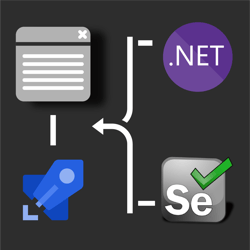
## How to run .NET Core Selenium UI tests on Azure DevOps Pipelines Windows/Ubuntu agents? 🚀

8/11/2019 - .NET

his post discusses how to take those UI tests and run them in Azure DevOps Pipelines on both Windows & Ubuntu agents. Use this GitHub repository which contains the UI test project necessary to follow along in this post.


](/blog/dotnet/how-to-run-net-core-selenium-ui-tests-on-azure-devops-pipelines)[
<picture><img class="blog-post-card__image" src="/cdn-cgi/image/width=250,format=auto,quality=90,height=250,fit=cover,gravity=0.5x0.5/media/1163/dotnet-core-selenium-square.png" srcset="/cdn-cgi/image/width=250,format=auto,quality=90,height=250,fit=cover,gravity=0.5x0.5/media/1163/dotnet-core-selenium-square.png 250w, /cdn-cgi/image/width=375,format=auto,quality=90,height=375,fit=cover,gravity=0.5x0.5/media/1163/dotnet-core-selenium-square.png 375w, /cdn-cgi/image/width=500,format=auto,quality=90,height=500,fit=cover,gravity=0.5x0.5/media/1163/dotnet-core-selenium-square.png 500w" sizes="250px" width="250" height="250" alt=".NET Core + Selenium logo steering a web browser window" decoding="async" loading="lazy" style="background-color:#2D2D2D"></picture>

## How to UI test using Selenium and .NET Core on Windows, Ubuntu, and MacOS

7/25/2019 - .NET

Selenium is a browser 🌐 automation tool mainly used for UI testing and automating tasks. Selenium is agnostic of operating system, programming language, and browser. You can automate Chrome on MacOS using C#, FireFox using Python on Windows, or Opera using NodeJS on Linux to give you a few examples.


](/blog/dotnet/how-to-ui-test-using-selenium-and-net-core-on-windows-ubuntu-and-maybe-macos)[

<picture><img class="blog-post-card__image" src="/cdn-cgi/image/width=250,format=auto,quality=90,height=250,fit=cover/media/1123/azure-discord-square.png" srcset="/cdn-cgi/image/width=250,format=auto,quality=90,height=250,fit=cover/media/1123/azure-discord-square.png 250w, /cdn-cgi/image/width=375,format=auto,quality=90,height=375,fit=cover/media/1123/azure-discord-square.png 375w, /cdn-cgi/image/width=500,format=auto,quality=90,height=500,fit=cover/media/1123/azure-discord-square.png 500w" sizes="250px" width="250" height="250" alt="Azure &amp; .NET &amp; Discord Logo" decoding="async" loading="lazy" style="background-color:#5B2D91"></picture>

## Creating a Discord Bot using .NET Core and hosting it on Azure App Services

4/29/2019 - Azure

Discord is an online communication platform built specifically for gaming. Using .NET Core and Azure App Service WebJobs we can host a Discord bot that can listen and respond to voice and text input.


](/blog/azure/creating-a-discord-bot-using-net-core-and-azure-app-services)[

<picture><img class="blog-post-card__image" src="/cdn-cgi/image/width=250,format=auto,quality=90,height=250,fit=cover,gravity=0.5x0.5/media/1103/thumbnail-optimized.png" srcset="/cdn-cgi/image/width=250,format=auto,quality=90,height=250,fit=cover,gravity=0.5x0.5/media/1103/thumbnail-optimized.png 250w, /cdn-cgi/image/width=375,format=auto,quality=90,height=375,fit=cover,gravity=0.5x0.5/media/1103/thumbnail-optimized.png 375w, /cdn-cgi/image/width=500,format=auto,quality=90,height=500,fit=cover,gravity=0.5x0.5/media/1103/thumbnail-optimized.png 500w" sizes="250px" width="250" height="250" alt="PowerShell logo" decoding="async" loading="lazy" style="background-color:#2D2D2D"></picture>

## PowerShell Snippet: Crawling a sitemap

1/19/2019 - PowerShell

Here's a PowerShell function that you can use to validate that all pages in your sitemap return a HTTP Status code 200. You can also use it to warm up your website, or ensure your website caching is warm after a cold boot. I personally use it as part of my Continuous Delivery pipeline to warm up my site and Cloudflare's cache.


](/blog/powershell/powershell-snippet-crawling-a-sitemap)[

<picture><img class="blog-post-card__image" src="/cdn-cgi/image/width=250,format=auto,quality=90,height=250,fit=cover,gravity=0.5x0.5/media/1091/robot-umbraco-square.png" srcset="/cdn-cgi/image/width=250,format=auto,quality=90,height=250,fit=cover,gravity=0.5x0.5/media/1091/robot-umbraco-square.png 250w, /cdn-cgi/image/width=375,format=auto,quality=90,height=375,fit=cover,gravity=0.5x0.5/media/1091/robot-umbraco-square.png 375w, /cdn-cgi/image/width=500,format=auto,quality=90,height=500,fit=cover,gravity=0.5x0.5/media/1091/robot-umbraco-square.png 500w" sizes="250px" width="250" height="250" alt="Robot with Umbraco logo" decoding="async" loading="lazy" style="background-color:#2D2D2D"></picture>

## Crawling through Umbraco with Robots

12/31/2018 - Umbraco

The robots.txt file’s main purpose is to tell robots (Google Bot, Bing Bot, etc.) what to index for their search engine, and also what not to. Usually you want most of your website crawled by Google, such as blog posts, product pages, etc., but most websites will have some pages/sections that shouldn’t be indexed or listed in search engines.


](/blog/umbraco/crawling-through-umbraco-with-robots)

[Previous Page](/blog/dotnet/page/4#main-content)[Show All Posts](/blog/dotnet/all#main-content)[Next Page](/blog/dotnet/page/6#main-content)

[Prev](/blog/dotnet/page/4#main-content)[Next](/blog/dotnet/page/6#main-content)
