---
title: "Swimburger - Blog - Page 5"
description: "Swimburger.net is a blog about .NET, cloud, web development, and whatever comes across Swimburger's plate. Swimburger.net is run by Niels Swimberghe."
canonical: "https://swimburger.net/blog/5"
---

[

<picture><img class="blog-post-card__image" src="/cdn-cgi/image/width=250,format=auto,quality=90,height=250,fit=cover,gravity=0.5x0.5/media/aqmeempb/blazor-github-square.png" srcset="/cdn-cgi/image/width=250,format=auto,quality=90,height=250,fit=cover,gravity=0.5x0.5/media/aqmeempb/blazor-github-square.png 250w, /cdn-cgi/image/width=375,format=auto,quality=90,height=375,fit=cover,gravity=0.5x0.5/media/aqmeempb/blazor-github-square.png 375w, /cdn-cgi/image/width=500,format=auto,quality=90,height=500,fit=cover,gravity=0.5x0.5/media/aqmeempb/blazor-github-square.png 500w" sizes="250px" width="250" height="250" alt="Blazor and GitHub logo" decoding="async" loading="lazy" style="background-color:#fff"></picture>

## Video: How to deploy ASP.NET Blazor WebAssembly to GitHub Pages

12/23/2020 - .NET

With ASP.NET Blazor WebAssembly you can create .NET applications that run completely inside of the browser. The output of a Blazor WASM project are all static files. You can deploy these applications to various static site hosts like GitHub Pages.


](/blog/dotnet/video-how-to-deploy-aspnet-blazor-webassembly-to-github-pages)[

<picture><img class="blog-post-card__image" src="/cdn-cgi/image/width=250,format=auto,quality=90,height=250,fit=cover,gravity=0.4982464937912058x0.4982464937912058/media/ad2llt0w/javascript-in-blazor-ijso-square.png" srcset="/cdn-cgi/image/width=250,format=auto,quality=90,height=250,fit=cover,gravity=0.4982464937912058x0.4982464937912058/media/ad2llt0w/javascript-in-blazor-ijso-square.png 250w, /cdn-cgi/image/width=375,format=auto,quality=90,height=375,fit=cover,gravity=0.4982464937912058x0.4982464937912058/media/ad2llt0w/javascript-in-blazor-ijso-square.png 375w, /cdn-cgi/image/width=500,format=auto,quality=90,height=500,fit=cover,gravity=0.4982464937912058x0.4982464937912058/media/ad2llt0w/javascript-in-blazor-ijso-square.png 500w" sizes="250px" width="250" height="250" alt="Blazor next to JavaScript logo" decoding="async" loading="lazy" style="background-color:#fafafa"></picture>

## Interacting with JavaScript Objects using the new IJSObjectReference in Blazor

12/21/2020 - .NET

A new type is introduced in .NET 5 called IJSObjectReference. This type holds a reference to a JavaScript object and can be used to invoke functions available on that JavaScript object.


](/blog/dotnet/interacting-with-javascript-objects-using-the-new-ijsobjectreference-in-blazor)[

<picture><img class="blog-post-card__image" src="/cdn-cgi/image/width=250,format=auto,quality=90,height=250,fit=cover,gravity=0.4982464937912058x0.4984916607169275/media/ifzbm55o/dotnet-framework-square.png" srcset="/cdn-cgi/image/width=250,format=auto,quality=90,height=250,fit=cover,gravity=0.4982464937912058x0.4984916607169275/media/ifzbm55o/dotnet-framework-square.png 250w, /cdn-cgi/image/width=375,format=auto,quality=90,height=375,fit=cover,gravity=0.4982464937912058x0.4984916607169275/media/ifzbm55o/dotnet-framework-square.png 375w, /cdn-cgi/image/width=500,format=auto,quality=90,height=500,fit=cover,gravity=0.4982464937912058x0.4984916607169275/media/ifzbm55o/dotnet-framework-square.png 500w" sizes="250px" width="250" height="250" alt=".NET Bot" decoding="async" loading="lazy" style="background-color:#fff"></picture>

## Harden Anti-Forgery Tokens with IAntiforgeryAdditionalDataProvider in ASP.NET Core

12/13/2020 - .NET

Using IAntiforgeryAdditionalDataProvider you can harden ASP.NET Core's anti-forgery token feature by adding additional data and validating the additional data.


](/blog/dotnet/harden-anti-forgery-tokens-with-iantiforgeryadditionaldataprovider-in-aspnet-core)[

<picture><img class="blog-post-card__image" src="/cdn-cgi/image/width=250,format=auto,quality=90,height=250,fit=cover,gravity=0.5x0.5003335557038026/media/0drl1ne0/social-media-html-square.png" srcset="/cdn-cgi/image/width=250,format=auto,quality=90,height=250,fit=cover,gravity=0.5x0.5003335557038026/media/0drl1ne0/social-media-html-square.png 250w, /cdn-cgi/image/width=375,format=auto,quality=90,height=375,fit=cover,gravity=0.5x0.5003335557038026/media/0drl1ne0/social-media-html-square.png 375w, /cdn-cgi/image/width=500,format=auto,quality=90,height=500,fit=cover,gravity=0.5x0.5003335557038026/media/0drl1ne0/social-media-html-square.png 500w" sizes="250px" width="250" height="250" alt="Social Media Logo's in front of arrows" decoding="async" loading="lazy" style="background-color:#1E1E1E"></picture>

## Don't forget to provide image alt meta data for open graph and twitter cards social sharing

12/7/2020 - Web

Due to the lack of support historically and it not being prominent in many samples, the important alternative text meta tag is often forgotten. To add support for the alt-meta tag use og:image:alt and twitter:image:alt.


](/blog/web/dont-forget-to-provide-image-alt-meta-data-for-open-graph-and-twitter-cards-social-sharing)[

<picture><img class="blog-post-card__image" src="/cdn-cgi/image/width=250,format=auto,quality=90,height=250,fit=cover,gravity=0.5x0.5/media/3pthemoc/dotnet-logo.png" srcset="/cdn-cgi/image/width=250,format=auto,quality=90,height=250,fit=cover,gravity=0.5x0.5/media/3pthemoc/dotnet-logo.png 250w, /cdn-cgi/image/width=375,format=auto,quality=90,height=375,fit=cover,gravity=0.5x0.5/media/3pthemoc/dotnet-logo.png 375w, /cdn-cgi/image/width=500,format=auto,quality=90,height=500,fit=cover,gravity=0.5x0.5/media/3pthemoc/dotnet-logo.png 500w" sizes="250px" width="250" height="250" alt=".NET logo" decoding="async" loading="lazy" style="background-color:#512bd4"></picture>

## Rethrowing your exceptions wrong in .NET could erase your stacktrace

12/4/2020 - .NET

You may be erasing your stacktrace if you are catching and rethrowing exceptions the wrong way. This could make debugging a nightmare because you don't know where the exception was originally thrown.


](/blog/dotnet/rethrowing-your-exceptions-wrong-in-dotnet-could-erase-your-stacktrace)[

<picture><img class="blog-post-card__image" src="/cdn-cgi/image/width=250,format=auto,quality=90,height=250,fit=cover,gravity=0.5x0.5/media/rfhjjgka/blazor-twilio-calls-square.png" srcset="/cdn-cgi/image/width=250,format=auto,quality=90,height=250,fit=cover,gravity=0.5x0.5/media/rfhjjgka/blazor-twilio-calls-square.png 250w, /cdn-cgi/image/width=375,format=auto,quality=90,height=375,fit=cover,gravity=0.5x0.5/media/rfhjjgka/blazor-twilio-calls-square.png 375w, /cdn-cgi/image/width=500,format=auto,quality=90,height=500,fit=cover,gravity=0.5x0.5/media/rfhjjgka/blazor-twilio-calls-square.png 500w" sizes="250px" width="250" height="250" alt="Blazor and Twilio logo" decoding="async" loading="lazy" style="background-color:#fafafa"></picture>

## Making Phone Calls from Blazor WebAssembly with Twilio Voice

11/30/2020 - .NET

Using Twilio Voice you can add the ability to make and receive phone calls from your own ASP.NET web applications. Twilio’s helper library for JavaScript makes it easy to integrate client functionality into web front ends built with Blazor WebAssembly, and the Twilio NuGet packages provide you with convenient interfaces to Twilio’s APIs for server-side tasks.


](/blog/dotnet/making-phone-calls-from-blazor-webassembly-with-twilio-voice)[
<picture><img class="blog-post-card__image" src="/cdn-cgi/image/width=250,format=auto,quality=90,height=250,fit=cover,gravity=0.5x0.5/media/tzxjbrly/metatagsio-thumb.png" srcset="/cdn-cgi/image/width=250,format=auto,quality=90,height=250,fit=cover,gravity=0.5x0.5/media/tzxjbrly/metatagsio-thumb.png 250w, /cdn-cgi/image/width=375,format=auto,quality=90,height=375,fit=cover,gravity=0.5x0.5/media/tzxjbrly/metatagsio-thumb.png 375w, /cdn-cgi/image/width=500,format=auto,quality=90,height=500,fit=cover,gravity=0.5x0.5/media/tzxjbrly/metatagsio-thumb.png 500w" sizes="250px" width="250" height="250" alt="Screenshot of metatags.io preview" decoding="async" loading="lazy" style="background-color:#fff"></picture>

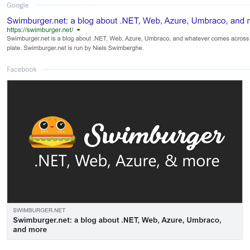
## Verify what your webpage looks like in Google, Facebook, Twitter, LinkedIn, and more

11/23/2020 - Web

Social media platforms each generate link previews/cards differently. You can use the official debuggers/inspectors provided by Facebook, Twitter, LinkedIn to debug the previews. To quickly preview multiple social networks + Google + Slack, you can use metatags.io.


](/blog/web/verify-what-your-webpage-looks-like-in-google-facebook-twitter-linkedin-and-more)[

<picture><img class="blog-post-card__image" src="/cdn-cgi/image/width=250,format=auto,quality=90,height=250,fit=cover,gravity=0.5x0.5/media/bbehaje5/application-insights-square-logo.png" srcset="/cdn-cgi/image/width=250,format=auto,quality=90,height=250,fit=cover,gravity=0.5x0.5/media/bbehaje5/application-insights-square-logo.png 250w, /cdn-cgi/image/width=375,format=auto,quality=90,height=375,fit=cover,gravity=0.5x0.5/media/bbehaje5/application-insights-square-logo.png 375w, /cdn-cgi/image/width=500,format=auto,quality=90,height=500,fit=cover,gravity=0.5x0.5/media/bbehaje5/application-insights-square-logo.png 500w" sizes="250px" width="250" height="250" alt="Azure Application Insights logo" decoding="async" loading="lazy" style="background-color:#fff"></picture>

## Querying top requested URL's using Kusto and Log Analytics in Azure Application Insights

11/17/2020 - Azure

One query many webmasters and content editors are interested in is which URL's are most popular. Azure Application Insights can answer this question with data coming from back-end telemetry and can include request telemetry of static files as well.


](/blog/azure/querying-top-requested-urls-using-kusto-and-log-analytics-in-azure-application-insights)[

<picture><img class="blog-post-card__image" src="/cdn-cgi/image/width=250,format=auto,quality=90,height=250,fit=cover,gravity=0.5x0.5/media/zvvby5ie/powershell-thumbnail.png" srcset="/cdn-cgi/image/width=250,format=auto,quality=90,height=250,fit=cover,gravity=0.5x0.5/media/zvvby5ie/powershell-thumbnail.png 250w, /cdn-cgi/image/width=375,format=auto,quality=90,height=375,fit=cover,gravity=0.5x0.5/media/zvvby5ie/powershell-thumbnail.png 375w, /cdn-cgi/image/width=500,format=auto,quality=90,height=500,fit=cover,gravity=0.5x0.5/media/zvvby5ie/powershell-thumbnail.png 500w" sizes="250px" width="250" height="250" alt="PowerShell logo" decoding="async" loading="lazy"></picture>

## ConvertFrom-SecureString : A parameter cannot be found that matches parameter name 'AsPlainText'

11/9/2020 - PowerShell

If you're using older versions of PowerShell, you do not have the 'AsPlainText' flag available to you. You're not out of luck though, you can quickly create your own function which will give you the same result.


](/blog/powershell/convertfrom-securestring-a-parameter-cannot-be-found-that-matches-parameter-name-asplaintext)[

<picture><img class="blog-post-card__image" src="/cdn-cgi/image/width=250,format=auto,quality=90,height=250,fit=cover,gravity=0.5x0.5/media/ku0blkjc/javascript-in-blazor-square.png" srcset="/cdn-cgi/image/width=250,format=auto,quality=90,height=250,fit=cover,gravity=0.5x0.5/media/ku0blkjc/javascript-in-blazor-square.png 250w, /cdn-cgi/image/width=375,format=auto,quality=90,height=375,fit=cover,gravity=0.5x0.5/media/ku0blkjc/javascript-in-blazor-square.png 375w, /cdn-cgi/image/width=500,format=auto,quality=90,height=500,fit=cover,gravity=0.5x0.5/media/ku0blkjc/javascript-in-blazor-square.png 500w" sizes="250px" width="250" height="250" alt="Blazor logo next to JavaScript logo" decoding="async" loading="lazy" style="background-color:#fafafa"></picture>

## Communicating between .NET and JavaScript in Blazor with in-browser samples

11/5/2020 - .NET

The success of Blazor relies heavily upon how well it can integrate with the existing rich JavaScript ecosystem. The way Blazor allows you to integrate, is by enabling you to call JavaScript functions from Blazor and .NET functions from JavaScript also referred to as 'JavaScript interoperability'.


](/blog/dotnet/communicating-between-dotnet-and-javascript-in-blazor-with-in-browser-samples)[

<picture><img class="blog-post-card__image" src="/cdn-cgi/image/width=250,format=auto,quality=90,height=250,fit=cover,gravity=0.5x0.5/media/pdsdvlgm/application-insights-square-logo.png" srcset="/cdn-cgi/image/width=250,format=auto,quality=90,height=250,fit=cover,gravity=0.5x0.5/media/pdsdvlgm/application-insights-square-logo.png 250w, /cdn-cgi/image/width=375,format=auto,quality=90,height=375,fit=cover,gravity=0.5x0.5/media/pdsdvlgm/application-insights-square-logo.png 375w, /cdn-cgi/image/width=500,format=auto,quality=90,height=500,fit=cover,gravity=0.5x0.5/media/pdsdvlgm/application-insights-square-logo.png 500w" sizes="250px" width="250" height="250" alt="Azure Application Insights logo" decoding="async" loading="lazy" style="background-color:#fff"></picture>

## Querying 404's using Kusto and Log Analytics in Azure Application Insights

10/30/2020 - Azure

Using the built-in Log Analytics workspace in Azure Application Insights, you can query all the URL's causing 404 HTTP Status responses.


](/blog/azure/querying-404s-using-kusto-and-log-analytics-in-azure-application-insights)[

<picture><img class="blog-post-card__image" src="/cdn-cgi/image/width=250,format=auto,quality=90,height=250,fit=cover,gravity=0.5x0.5/media/kvwcs54s/net-framework-square.png" srcset="/cdn-cgi/image/width=250,format=auto,quality=90,height=250,fit=cover,gravity=0.5x0.5/media/kvwcs54s/net-framework-square.png 250w, /cdn-cgi/image/width=375,format=auto,quality=90,height=375,fit=cover,gravity=0.5x0.5/media/kvwcs54s/net-framework-square.png 375w, /cdn-cgi/image/width=500,format=auto,quality=90,height=500,fit=cover,gravity=0.5x0.5/media/kvwcs54s/net-framework-square.png 500w" sizes="250px" width="250" height="250" alt=".NET Bot writing on a whiteboard" decoding="async" loading="lazy" style="background-color:#fff"></picture>

## Configure CORS using AppSettings or Custom Configuration Sections in ASP.NET Web API

10/26/2020 - .NET

Microsoft's CORS library works, but the attributes force you to hardcode the CORS headers. By creating custom CORS attributes, you can read the CORS configuration from AppSettings or a custom config section.


](/blog/dotnet/configure-cors-using-appsettings-or-custom-configuration-sections-in-aspnet-web-api)[

<picture><img class="blog-post-card__image" src="/cdn-cgi/image/width=250,format=auto,quality=90,height=250,fit=cover,gravity=0.5x0.5/media/z2khm2a1/dotnet-logo.png" srcset="/cdn-cgi/image/width=250,format=auto,quality=90,height=250,fit=cover,gravity=0.5x0.5/media/z2khm2a1/dotnet-logo.png 250w, /cdn-cgi/image/width=375,format=auto,quality=90,height=375,fit=cover,gravity=0.5x0.5/media/z2khm2a1/dotnet-logo.png 375w, /cdn-cgi/image/width=500,format=auto,quality=90,height=500,fit=cover,gravity=0.5x0.5/media/z2khm2a1/dotnet-logo.png 500w" sizes="250px" width="250" height="250" alt=".NET Logo" decoding="async" loading="lazy" style="background-color:#512bd4"></picture>

## Configure ServicePointManager.SecurityProtocol through AppSettings

10/21/2020 - .NET

Usually .NET automatically finds a security protocol in common, but sometimes you have to update ServicePointManager.SecurityProtocol explicitly.


](/blog/dotnet/configure-servicepointmanager-securityprotocol-through-appsettings)[

<picture><img class="blog-post-card__image" src="/cdn-cgi/image/width=250,format=auto,quality=90,height=250,fit=cover,gravity=0.5002263467632413x0.5002263467632413/media/fjjjglcr/blazor-firebase-square.png" srcset="/cdn-cgi/image/width=250,format=auto,quality=90,height=250,fit=cover,gravity=0.5002263467632413x0.5002263467632413/media/fjjjglcr/blazor-firebase-square.png 250w, /cdn-cgi/image/width=375,format=auto,quality=90,height=375,fit=cover,gravity=0.5002263467632413x0.5002263467632413/media/fjjjglcr/blazor-firebase-square.png 375w, /cdn-cgi/image/width=500,format=auto,quality=90,height=500,fit=cover,gravity=0.5002263467632413x0.5002263467632413/media/fjjjglcr/blazor-firebase-square.png 500w" sizes="250px" width="250" height="250" alt="Blazor and Firebase logo" decoding="async" loading="lazy" style="background-color:#fafafa"></picture>

## Real-time applications with Blazor Server and Firestore

10/16/2020 - DotNet

Blazor Server is built on SignalR, which is built on websockets. Among things, websockets enable Blazor Server to push changes from the server to the browser at any time. You can build real-time UI's when you combine this with a real-time database.


](/blog/dotnet/real-time-applications-with-blazor-server-and-firestore)[

<picture><img class="blog-post-card__image" src="/cdn-cgi/image/width=250,format=auto,quality=90,height=250,fit=cover,gravity=0.5x0.5/media/bkdbc3rw/blazor-logo.png" srcset="/cdn-cgi/image/width=250,format=auto,quality=90,height=250,fit=cover,gravity=0.5x0.5/media/bkdbc3rw/blazor-logo.png 250w, /cdn-cgi/image/width=375,format=auto,quality=90,height=375,fit=cover,gravity=0.5x0.5/media/bkdbc3rw/blazor-logo.png 375w, /cdn-cgi/image/width=500,format=auto,quality=90,height=500,fit=cover,gravity=0.5x0.5/media/bkdbc3rw/blazor-logo.png 500w" sizes="250px" width="250" height="250" alt="Blazor logo" decoding="async" loading="lazy" style="background-color:#fafafa"></picture>

## Pushing UI changes from Blazor Server to browser on server raised events

10/12/2020 - .NET

Blazor Server is built on SignalR, and SignalR is built on websockets among other techniques. The combination of these technologies allow Blazor Server to push UI changes into the client without the client requesting those changes.


](/blog/dotnet/pushing-ui-changes-from-blazor-server-to-browser-on-server-raised-events)[

<picture><img class="blog-post-card__image" src="/cdn-cgi/image/width=250,format=auto,quality=90,height=250,fit=cover,gravity=0.5x0.5/media/1uilg00p/thumbnail-optimized.png" srcset="/cdn-cgi/image/width=250,format=auto,quality=90,height=250,fit=cover,gravity=0.5x0.5/media/1uilg00p/thumbnail-optimized.png 250w, /cdn-cgi/image/width=375,format=auto,quality=90,height=375,fit=cover,gravity=0.5x0.5/media/1uilg00p/thumbnail-optimized.png 375w, /cdn-cgi/image/width=500,format=auto,quality=90,height=500,fit=cover,gravity=0.5x0.5/media/1uilg00p/thumbnail-optimized.png 500w" sizes="250px" width="250" height="250" alt="PowerShell logo" decoding="async" loading="lazy" style="background-color:#2D2D2D"></picture>

## PowerShell Script: Scan documentation for broken links

10/2/2020 - PowerShell

A lot of documentation will link to other locations on the web using URL's. Unfortunately, many URL's change over time. Additionally, it's easy to make typos or fat finger resulting in incorrect URL's. Here's a small PowerShell script you can run on your documentation repositories and will tell you which URL's are not resolving in a proper redirect or HTTP StatusCode 200


](/blog/powershell/powershell-script-scan-documentation-for-broken-links)[

<picture><img class="blog-post-card__image" src="/cdn-cgi/image/width=250,format=auto,quality=90,height=250,fit=cover,gravity=0.5x0.5/media/oy1deshi/serilog.png" srcset="/cdn-cgi/image/width=250,format=auto,quality=90,height=250,fit=cover,gravity=0.5x0.5/media/oy1deshi/serilog.png 250w, /cdn-cgi/image/width=375,format=auto,quality=90,height=375,fit=cover,gravity=0.5x0.5/media/oy1deshi/serilog.png 375w, /cdn-cgi/image/width=500,format=auto,quality=90,height=500,fit=cover,gravity=0.5x0.5/media/oy1deshi/serilog.png 500w" sizes="250px" width="250" height="250" alt="Serilog logo" decoding="async" loading="lazy" style="background-color:#ff2518"></picture>

## Changing Serilog Minimum level without application restart on .NET Framework and Core

9/21/2020 - .NET

There are many ways to configure Serilog. The configuration library has the additional advantage that it supports dynamic reloading of the MinimumLevel and LevelSwitches.


](/blog/dotnet/changing-serilog-minimum-level-without-application-restart-on-dotnet-framework-and-core)[

<picture><img class="blog-post-card__image" src="/cdn-cgi/image/width=250,format=auto,quality=90,height=250,fit=cover,gravity=0.49928332537028186x0.4995363155731044/media/bfejn0e2/net-framework-square.png" srcset="/cdn-cgi/image/width=250,format=auto,quality=90,height=250,fit=cover,gravity=0.49928332537028186x0.4995363155731044/media/bfejn0e2/net-framework-square.png 250w, /cdn-cgi/image/width=375,format=auto,quality=90,height=375,fit=cover,gravity=0.49928332537028186x0.4995363155731044/media/bfejn0e2/net-framework-square.png 375w, /cdn-cgi/image/width=500,format=auto,quality=90,height=500,fit=cover,gravity=0.49928332537028186x0.4995363155731044/media/bfejn0e2/net-framework-square.png 500w" sizes="250px" width="250" height="250" alt=".NET Bot writing on a whiteboard" decoding="async" loading="lazy" style="background-color:#fff"></picture>

## Using ConfigurationProviders from Microsoft.Extensions.Configuration on .NET Framework

9/18/2020 - .NET

.NET Core introduced new API's. Some of those libraries are built to support multiple .NET platforms including .NET Framework. So, if you're still using .NET Framework, you could also take advantage of these new libraries.


](/blog/dotnet/using-configurationproviders-from-microsoft-extensions-configuration-on-dotnet-framework)[

<picture><img class="blog-post-card__image" src="/cdn-cgi/image/width=250,format=auto,quality=90,height=250,fit=cover,gravity=0.5x0.5/media/fxujfoot/introducing-umbraco-square.png" srcset="/cdn-cgi/image/width=250,format=auto,quality=90,height=250,fit=cover,gravity=0.5x0.5/media/fxujfoot/introducing-umbraco-square.png 250w, /cdn-cgi/image/width=375,format=auto,quality=90,height=375,fit=cover,gravity=0.5x0.5/media/fxujfoot/introducing-umbraco-square.png 375w, /cdn-cgi/image/width=500,format=auto,quality=90,height=500,fit=cover,gravity=0.5x0.5/media/fxujfoot/introducing-umbraco-square.png 500w" sizes="250px" width="250" height="250" alt="Umbraco logo" decoding="async" loading="lazy" style="background-color:#2d2d2d"></picture>

## Introducing Umbraco's KeepAlive Ping configuration

9/15/2020 - Umbraco

Umbraco 8.6 introduces the new keepAlive configuration inside of \`umbracoSettings.config\` which allows you to change "keepAlivePingUrl" and "disableKeepAliveTask"


](/blog/umbraco/introducing-umbracos-keepalive-ping-configuration)[

<picture><img class="blog-post-card__image" src="/cdn-cgi/image/width=250,format=auto,quality=90,height=250,fit=cover,gravity=0.5x0.5/media/eqhh2qrt/application-insights-square-logo.png" srcset="/cdn-cgi/image/width=250,format=auto,quality=90,height=250,fit=cover,gravity=0.5x0.5/media/eqhh2qrt/application-insights-square-logo.png 250w, /cdn-cgi/image/width=375,format=auto,quality=90,height=375,fit=cover,gravity=0.5x0.5/media/eqhh2qrt/application-insights-square-logo.png 375w, /cdn-cgi/image/width=500,format=auto,quality=90,height=500,fit=cover,gravity=0.5x0.5/media/eqhh2qrt/application-insights-square-logo.png 500w" sizes="250px" width="250" height="250" alt="Azure Application Insights logo" decoding="async" loading="lazy" style="background-color:#fff"></picture>

## Capturing ASP.NET Framework RawUrl with Azure Application Insights

9/14/2020 - Azure

By default, Application Insights will capture a lot of data about your ASP.NET applications including HTTP Requests made to your website. Unfortunately, the URL captured by Application Insights doesn't always match the URL originally requested by the client.


](/blog/azure/capturing-aspnet-framework-rawurl-with-azure-application-insights)

[Previous Page](/blog/4#main-content)[Show All Posts](/blog/all#main-content)[Next Page](/blog/6#main-content)

[Prev](/blog/4#main-content)[Next](/blog/6#main-content)
